



 Continue with Google
What a milestone does
A milestone is a named moment in your plan: an age, or the first time your savings cross an amount. On its own it is a marker on your charts. Give it an action and it changes your plan from the month it happens, for example a part-time job if your savings fall too far, or a cash amount when you downsize.
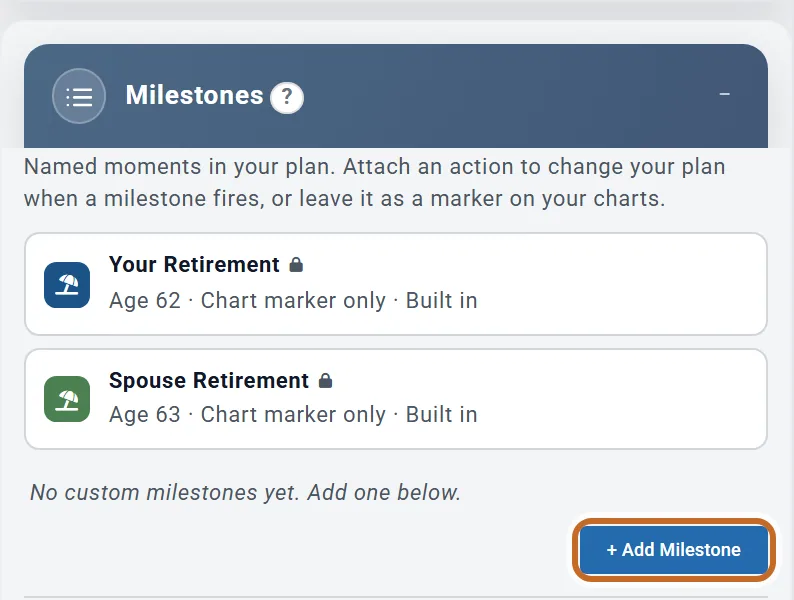
- The Milestones box is always in the settings panel, below Retirement Contributions.
- Your Retirement and Spouse Retirement are built in: they follow your profiles and cannot be edited here.
- You can add up to five milestones, three of them with an action.
Add a milestone at an age
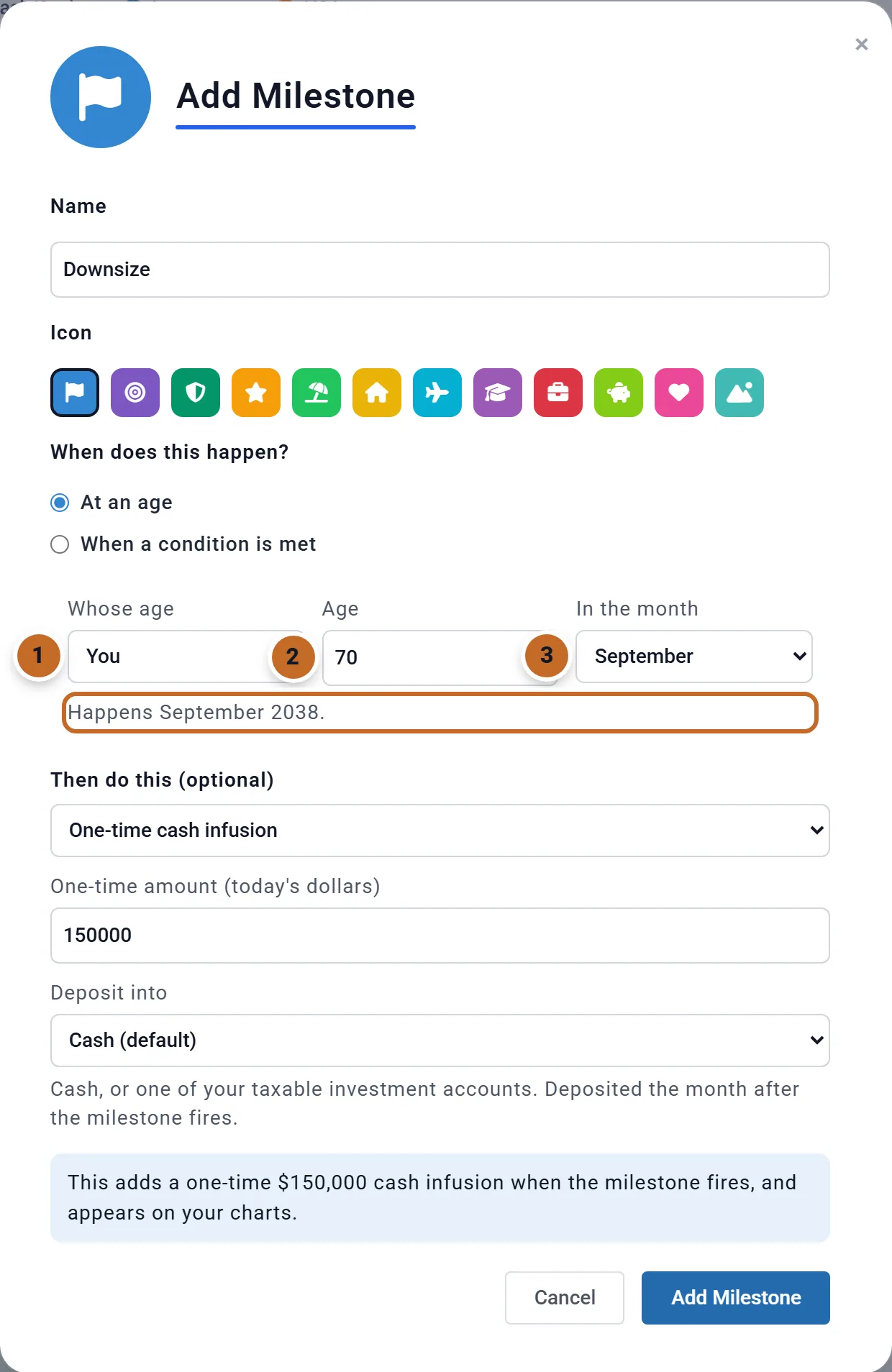
- Choose + Add Milestone and give it a Name and an Icon (the badge on your charts).
- Under When does this happen? keep At an age.
- Whose age: You or Spouse (shown when your plan has a spouse).
- Age, and In the month: On the birthday or a month. "Age 70 in September" is the first September at or after that person's 70th birthday.
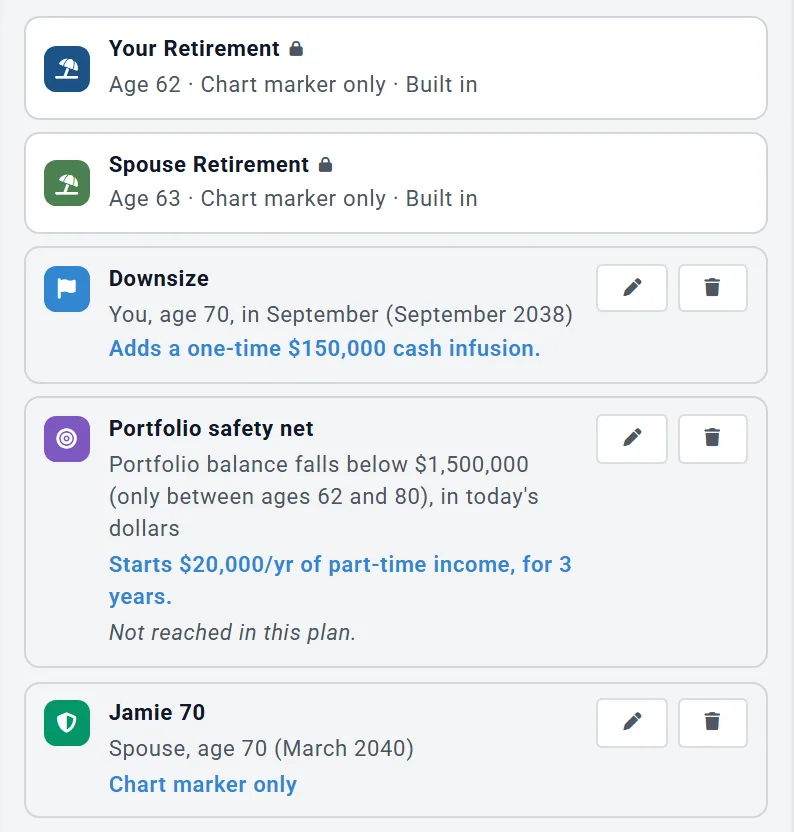
- The line under the fields shows the date, here "Happens September 2038."
- Add an action if you want one (see Make a milestone change your plan), then Add Milestone.
An age that has already passed happens in the plan's first month. An age past the end of your plan never happens.
Add a milestone when something happens
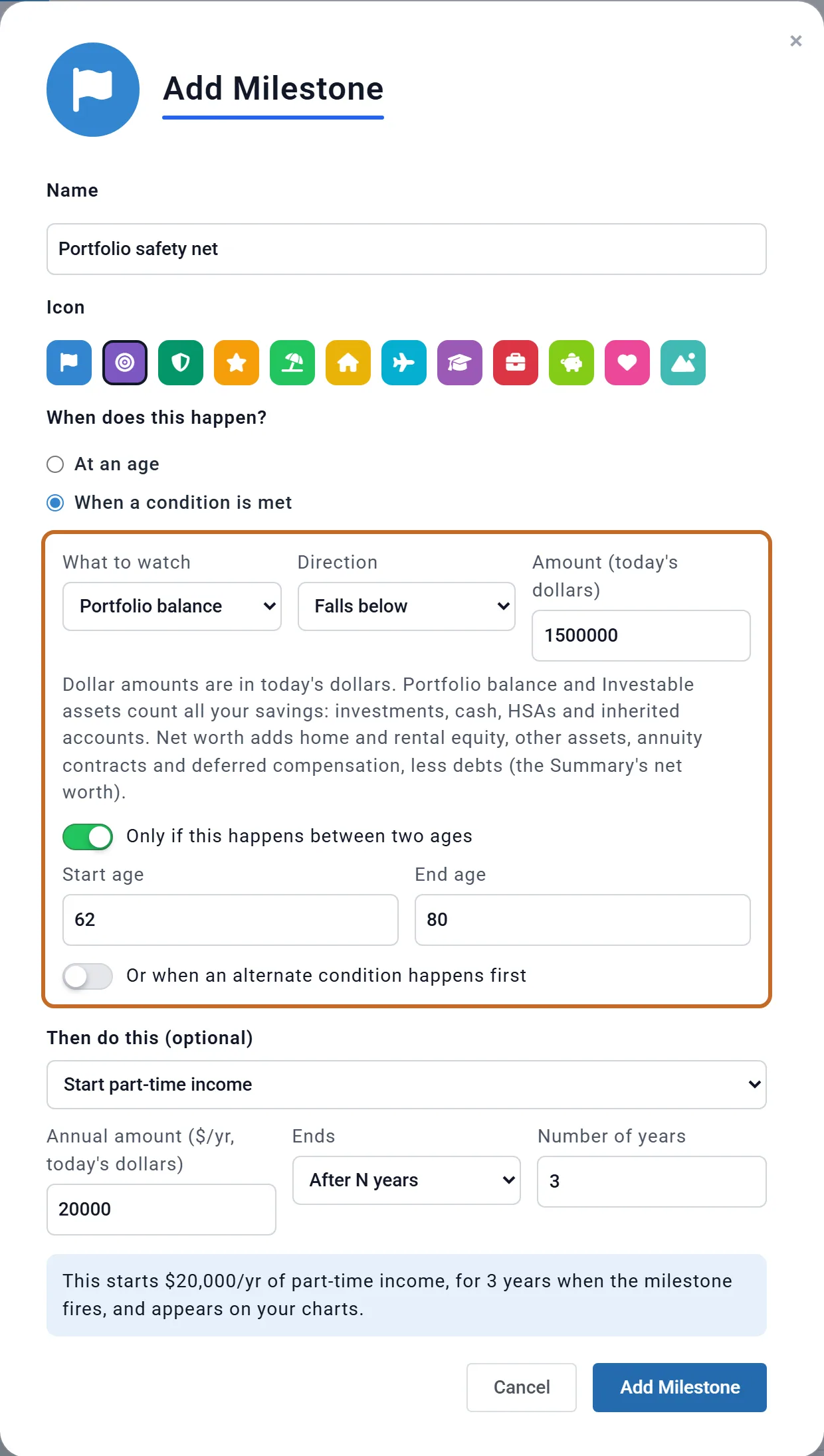
Choose When a condition is met, then:
- What to watch: Portfolio balance, Investable assets, Net worth or Investable assets (multiple of spending).
- Direction: Falls below or Rises above, and the Amount (today's dollars). The plan grows the amount with inflation before it compares.
- Optional: Only if this happens between two ages (the Primary's ages), and Or when an alternate condition happens first for one second condition.
What each measure counts:
- Portfolio balance and Investable assets are the same number: all the money the plan could spend, for both of you: your pre-tax, Roth and taxable investment accounts, your HSAs, inherited IRAs and your cash. It is the portfolio the Summary shows.
- Net worth adds your home and rental equity, other assets and any deferred annuity or deferred compensation, less debts, on top of that. It is the same net worth as on the Summary.
- Investable assets (multiple of spending) compares those accounts with a number of years of your spending, checked from the Primary's retirement.
- Checked once a year, at the start of the tax year (January; April in the UK), on that month's balances, from your plan's first year. A condition already true today happens next January.
- It happens once and stays happened, even if your savings recover.
- After a calculation the box says "Happens at age N in this plan." or "Not reached in this plan." Not reached is a good result for a backup plan: you did not need it.
Make a milestone change your plan
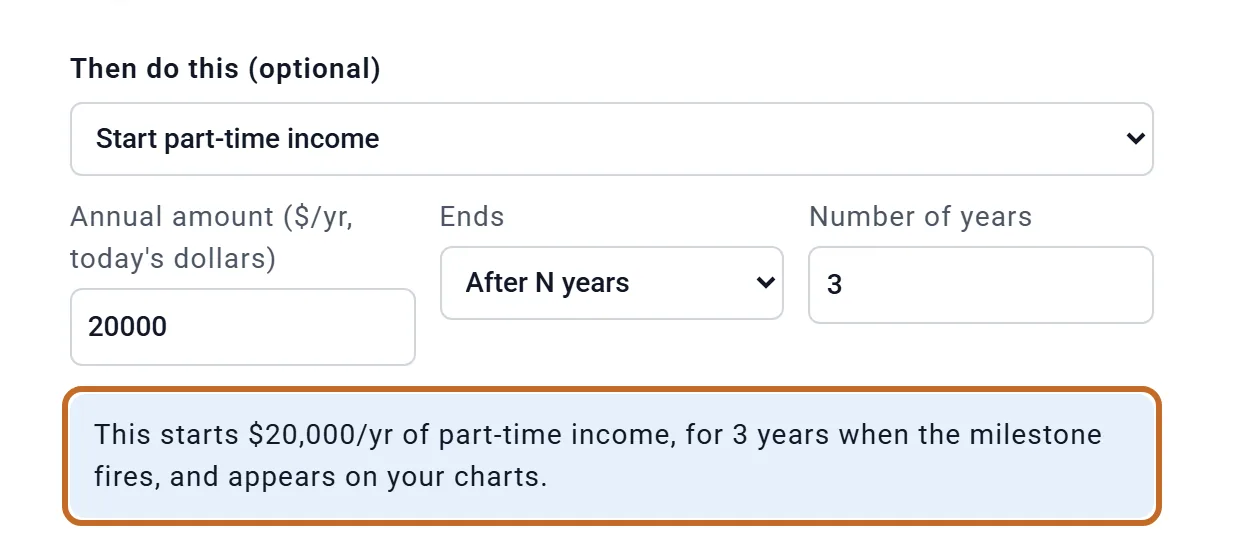
Under Then do this (optional) pick one action. Planner+ A box below the fields says in words what will happen.
| Action | What it does |
|---|---|
| No action, chart marker only | A marker; no numbers change. |
| Start part-time income | An amount a year, paid monthly from that month, until the plan's end, for a number of years, or to an age (the Primary's). Taxed as income, with no payroll tax. |
| Reduce spending by a percent | Cuts your lifestyle spending for good from that month. Two cuts multiply (20% then 10% is 28%). With Spending Guardrails on, the cut becomes their new starting point. |
| One-time cash infusion | An amount added to cash or a taxable account the month after, not taxed (enter what you would keep). It stands in for downsizing; for a real home sale with its gain, plan the sale on the property. |
| Add an expense | A one-time cost, or a yearly one for a number of years. A one-time cost the plan cannot afford when it is due is skipped, not half paid, and the Budget tab says so. |
- Every amount is in today's dollars and grows with inflation to the month it is paid: Downsize's $150,000 lands as $218,327 in 2038.
- Before you retire, action money moves only if Employment Income is on. Without it, an expense or a cut waits until retirement, and part-time income before then is treated as spent; a cash infusion lands either way.
- In Monthly Income mode, a cut lowers your monthly withdrawal and an expense is drawn on top of it.
- There is no action to sell something, claim a benefit or change a retirement age.
Tie other parts of your plan to a milestone
Several boxes can start or stop at a milestone instead of an age, and move with it if you change it:
- Retirement Income 1 and Retirement Income 2 (Start:, End:), each Extra Withdrawals card, each One-Time Benefits card (Received:), every pension (Start:) and Employment Income (Works until).
- Choose At retirement (the Primary's retirement, in every box), At spouse's retirement or a milestone by name, and an offset such as +2 years.
- Retirement Income's Start: can also wait for a condition milestone: it starts in the month the condition happens. For a set length, choose Years after Start as its End.

If you delete a milestone, anything tied to it goes back to its own age, with a note saying so.
Budget rows on a milestone
On the Budget tab, a row's Start Age and End Age lists your age milestones, as "Downsize (age 70)" and "Until Downsize (age 70)" (the age is the Primary's). "Until" stops the month before the milestone.
- A condition milestone appears under When it happens in Start Age. Planner+ The End then offers One time (when it happens), a number of years or months after it. A budget can have five such rows.
- After a calculation each of those rows shows a chip, such as "Age 67" or "Doesn't happen".
- If the milestone also has an Add an expense action, the plan charges both.
- A budget changes your plan only when it is linked with Use Budget. See Spending and your budget, which also compares Extra Withdrawals, a budget row and a milestone for one-time costs.
Where milestones show up
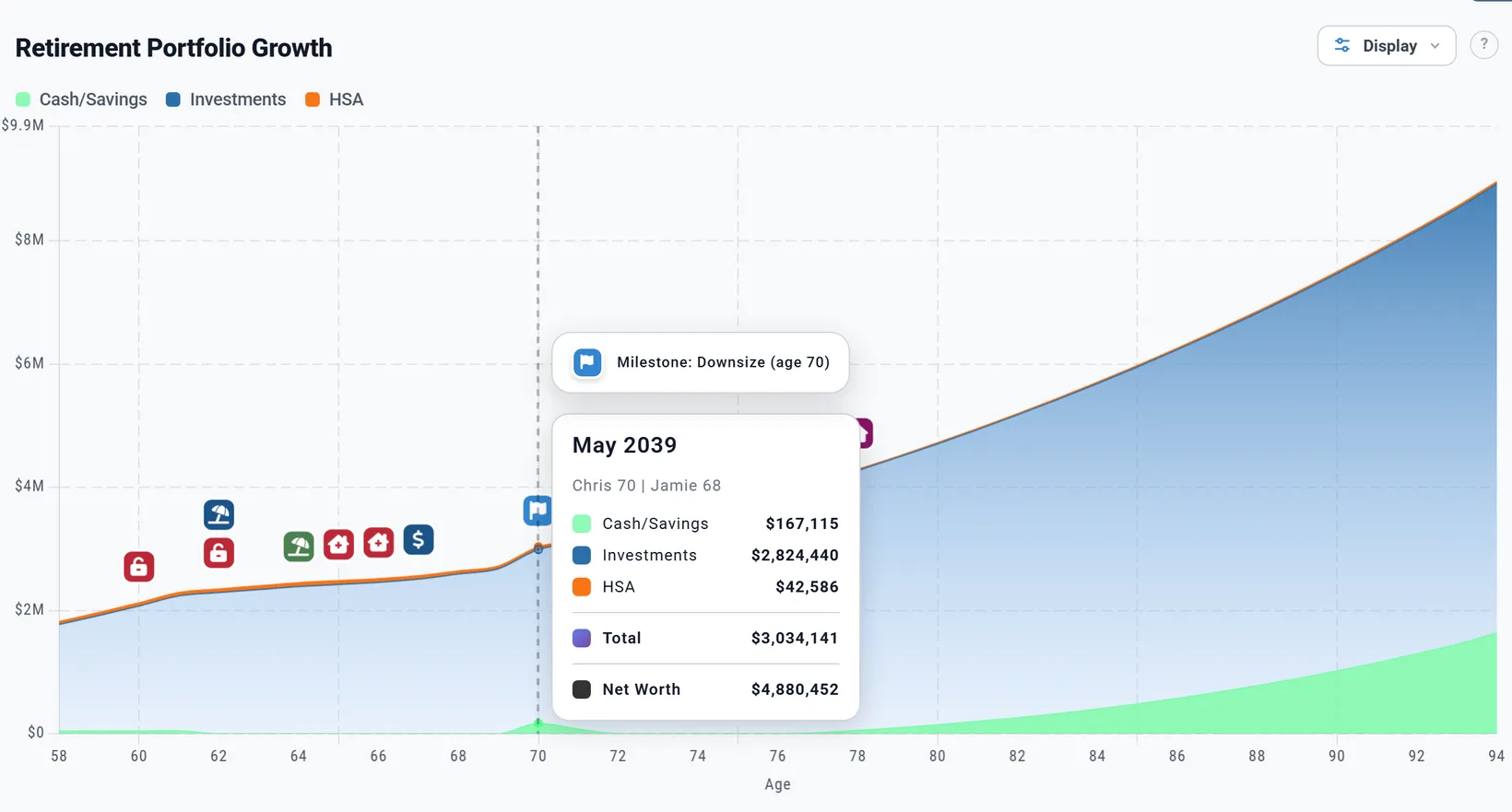
Each milestone that happens gets its badge on the Dashboard charts drawn by age. Hover over it to see its name.
- The box lists each one with its action in blue, and after a calculation "Happens at age N in this plan." or "Not reached in this plan."
- The Summary's "Upcoming milestones" card lists the next five markers, automatic ones included, so a milestone years away may not appear there yet.
- Part-time income from a milestone shows as "Milestone Income" in the Data Summary; an expense as "Milestone Expenses" on the Spending chart.
Milestones in Chance of Success
Under the Retirement Outlook on the Chance of Success tab, Milestone Outcomes has a card for each condition milestone. Each market history decides for itself whether and when the condition happens.

- With an action, the card reads "Backup plan: Needed in X% of simulations"; without one, "Goal: Reached in X% of simulations". The ages are the Primary's, the middle half of the trials.
- To see what a backup plan is worth, note your Chance of Success, switch the milestone off in What's Counted, compare, and switch it back on.
Whose age each part uses
You choose a person only for an age trigger (Whose age). Everything else uses the Primary's age: the condition's age window, part-time income's end age, "Happens at age N", the chart badge, the budget list and At retirement. So "Jamie 70" shows on the charts at Chris's 71. A spouse milestone with no month happens in the spouse's birthday month (Jamie's March).
Edit, switch off or delete a milestone
- The pencil edits it; the bin deletes it at once, with no undo.
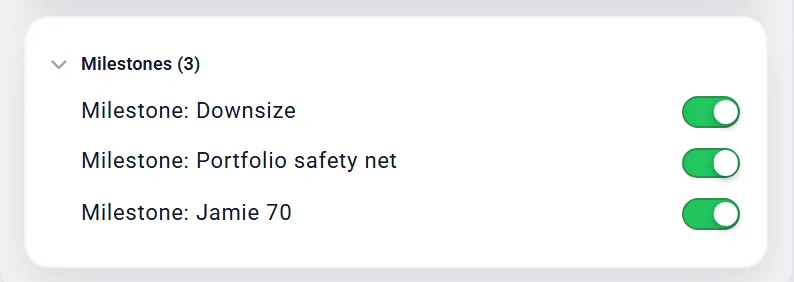
- To leave it out of one plan without deleting it, switch it off in What's Counted: the plan runs as if it were not there, and things tied to it go back to their own ages.
Preview accounts and Planner+
Adding milestones, their badges, the box's results and the Milestone Outcomes cards work on every account. Attaching an action needs Planner+: on a Preview account the action list is replaced by a note. A milestone that already has an action keeps it, but it cannot be changed. Starting a budget row when a condition happens also needs Planner+. Planner+
Outside the US
Milestones work the same everywhere, in your plan's currency. Conditions are checked in April in the UK and in January elsewhere. Investable assets count each country's accounts and your cash (registered and non-registered accounts in Canada; pensions, ISAs and GIAs in the UK).
What to know
- No "and" conditions, at most one "or", and no milestone set off by another milestone.
- Conditions are checked once a year and never undo.
- One action per milestone. A spending cut is permanent: to restore spending, add a second milestone with an expense, or use Spending Guardrails.
- Nothing can end when a condition milestone happens, except through a length counted from its start.