



 Continue with Google
Add your spouse
Chris (58) and Jamie (56) plan together. Chris is the Primary: the person whose profile comes first.
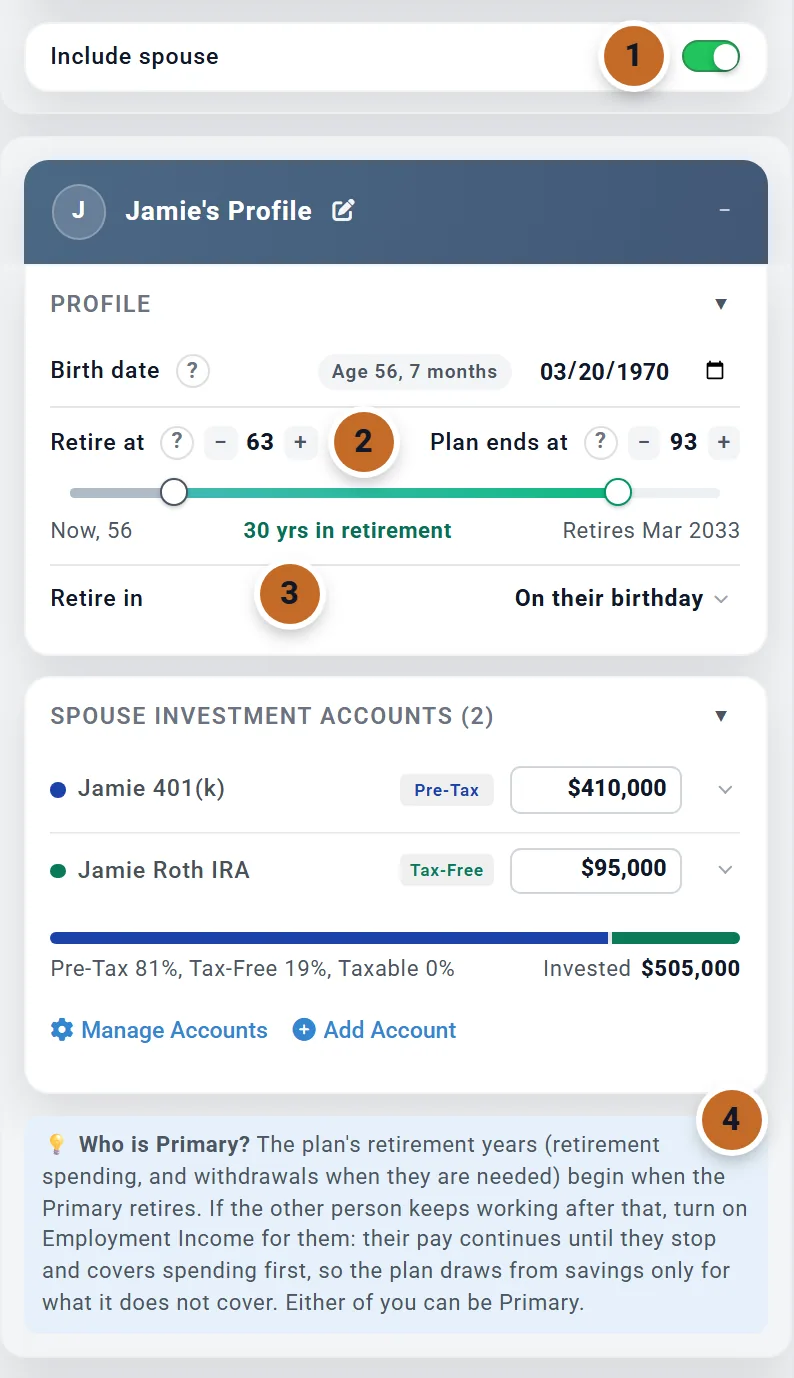
- 1In your profile, switch on Include spouse. A second profile box opens below yours. Type your spouse's name and its title becomes their name, here Jamie's Profile.
- 2Enter their Birth date, then set Retire at and Plan ends at on their own timeline. Jamie retires at 63; leave Plan ends at alone for now (see If one of you dies first).
- 3Retire in is the first month your spouse is retired. On their birthday means the month they reach Retire at; Jamie's birthday is in March, so the timeline reads Retires Mar 2033.
- 4The Who is Primary? note explains the one thing that is not shared equally. The next section covers it.
Your spouse's accounts are listed in their box under Spouse Investment Accounts. Your Desired Monthly Spending stays one number for the household.
The Add box now offers your spouse's own income boxes: Employment Income (Spouse), Social Security (Spouse), Pension 1 (Spouse) and Pension 2 (Spouse). Once your spouse has a name, the box titles use it, for example Employment Income (Jamie).
Who is the Primary, and why it matters
Most of the plan treats you as two people: each of you has your own age, retirement, accounts and income. A few things follow the Primary alone:
- Retirement years start when the Primary retires. Retirement spending, and withdrawals when they are needed, begin in the Primary's Retire in month. Chris retires in June 2030, so that is when the plan's retirement starts, even though Jamie works until March 2033.
- The plan ends at the Primary's Plan End, unless your spouse has a later one of their own.
- Charts count the Primary's age. With By age (the usual setting), the axis is Chris's age. Tooltips show both of you, for example "Chris 62 | Jamie 60".
- Some boxes take the Primary's ages: One-Time Benefits, Extra Withdrawals, college costs and budget rows. Your spouse's own boxes, a milestone on their age, an Other Income stream they receive and a Retirement Income 1 or Retirement Income 2 they earn use your spouse's ages (see Costs and income on your spouse's age).
Either of you can be Primary. If one of you keeps working after the other retires, model it with Employment Income for both of you, not by changing who is Primary: the next section shows how. There is no button that swaps the two of you: to change who is Primary, enter each person's details again in the other box, and add each account again under its new owner.
Retiring at different times
Each of you has your own Retire at and Retire in. What each of you saves stops at your own retirement; you set the amounts in the Retirement Contributions box, which has a switch with your two names. What happens to your pay, though, depends on Employment Income.
Your spouse keeps working after you retire
- Switch on Employment Income (Spouse) in the Add box and enter their salary. Planner+
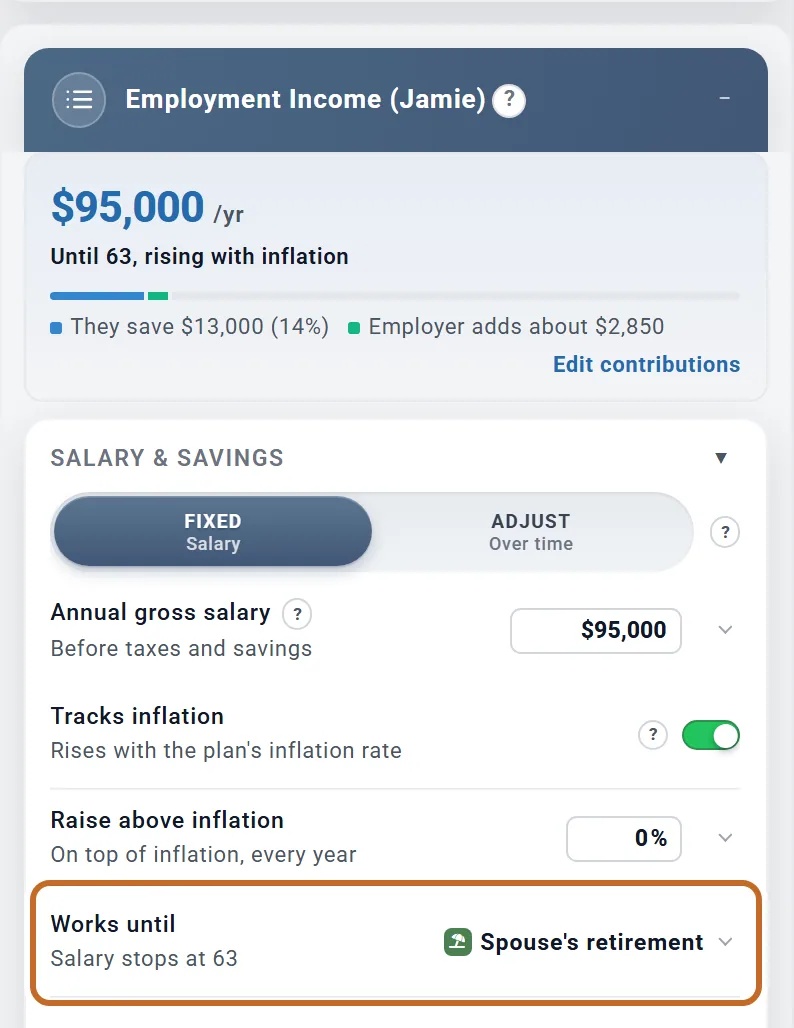
- Its Works until reads Spouse's retirement, with the age their pay stops under it (Salary stops at 63 for Jamie).
- Switch on your own Employment Income too, with your salary.
After Chris retires, Jamie's pay goes toward the household's spending first, and the plan draws only the rest from savings. With both salaries entered, the plan takes $65,508 from savings over Jamie's 33 extra months of work. With no salaries entered it takes $286,817, because the plan does not count pay it was not told about.
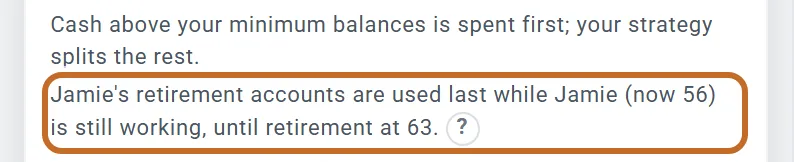
The retirement accounts of whoever is still working are used last. The Retirement Spending box says so: "Jamie's retirement accounts are used last while Jamie (now 56) is still working, until retirement at 63." See Whose accounts.
More on salaries, bonuses and self-employment: Where to enter your income.
You keep working after your spouse retires
Until the Primary retires, the plan is still in its working years, and with Employment Income off, those years carry no spending at all. Suppose Chris worked until 66 instead. Jamie retires in March 2033, Chris in June 2034, and with no salaries entered the plan shows no spending in the 15 months between: it starts in June 2034.
To model those months, switch on Employment Income for both of you. Jamie's pay stops at Jamie's retirement, and from then on your spending is paid from Chris's pay. In this example Chris's salary covers all of it, so nothing is drawn from savings. When pay does not cover a month, the gap is drawn from your savings (Fund shortfalls from savings, in the Primary's Employment Income box, on unless you switch it off).
Whose accounts
An account belongs to whoever you add it for. On Accounts & Assets:
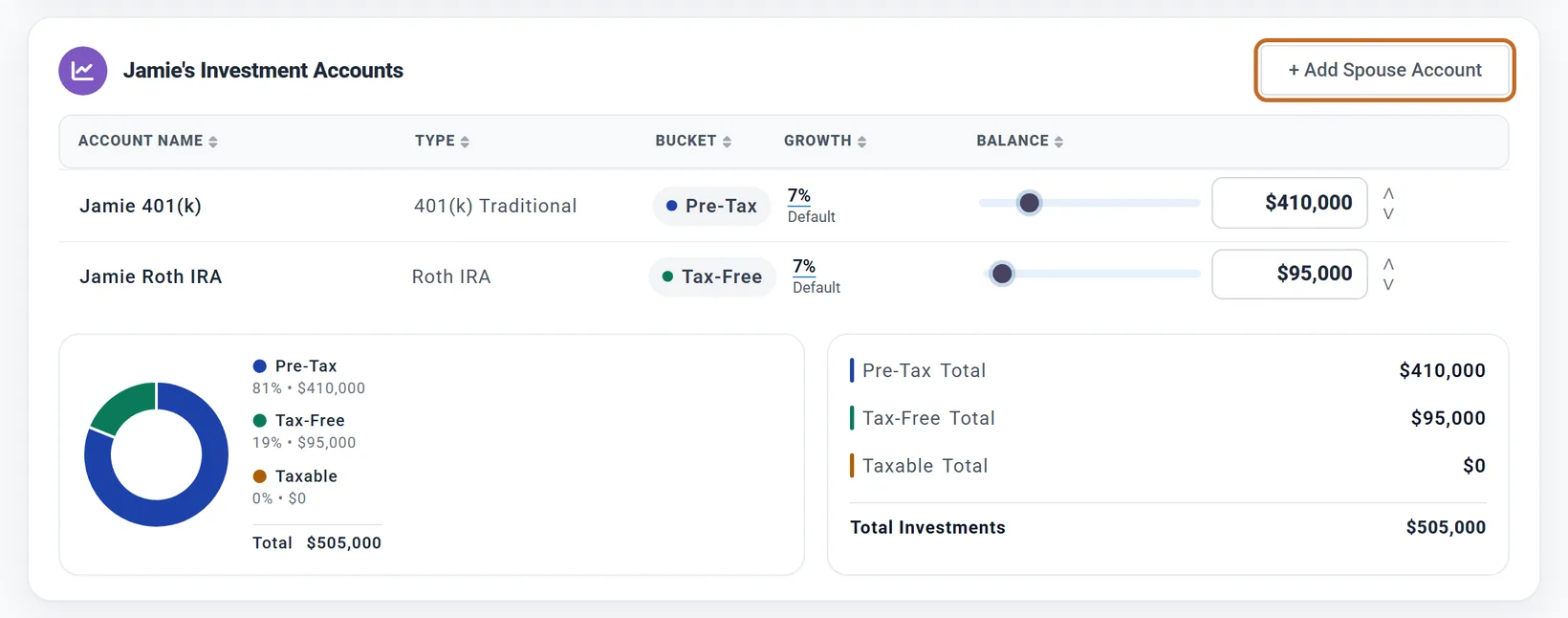
- Investments: + Add Primary Account or + Add Spouse Account. Once your spouse has a name, their section is called Jamie's Investment Accounts.
- Checking and savings, and other assets: + Add Primary or + Add Spouse.
Editing an account keeps its owner. To move one to the other person, add it again under them and delete the first one.
Ownership matters when the plan draws money:
- A working person's retirement accounts are used last. While one of you still works, the plan draws from their 401(k)s and IRAs only when nothing else can cover the month. Taxable accounts and cash are always available.
- The 10% early-withdrawal penalty is on each person's own age. One of you can be past 59½ and draw freely while the other cannot. Money that would be penalized is also used last. (US)
- Required minimum distributions follow each person's own age and birth year. (US)
The Retirement Spending box names the person it protects, and the Withdrawal Planner states the rule under Whose accounts. There is no setting to change it.
Filing status
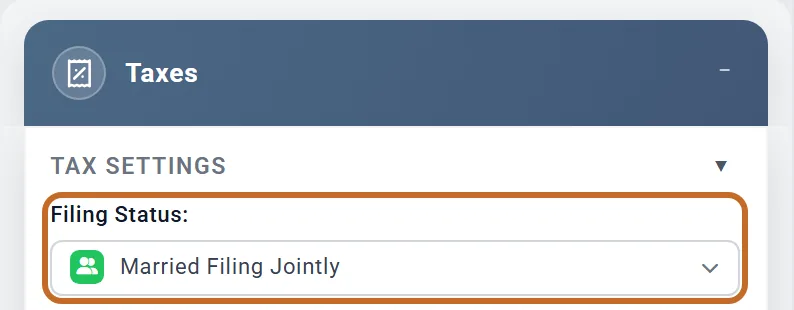
Your filing status is in the Taxes box, under Filing Status. US plans offer Single, Married Filing Jointly, Married Filing Separately and Head of Household.
- It does not follow Include spouse. New plans start at Single, so set it yourself. If you leave a plan with a spouse on Single, the Coach shows "Your plan includes a spouse but files as Single". An unmarried couple can dismiss it.
- Married Filing Separately with a spouse in the plan is worked out as two returns, one for each of you. Marketplace health insurance credits are not available on separate returns.
- You can keep a married status in a plan with Include spouse off. The box then notes that only your own income, accounts and benefits are counted.
If one of you dies in the plan, the survivor files as single from the following January (see below).
If one of you dies first: separate Plan End ages
By default your spouse's Plan ends at is linked to yours. It shows their age when your plan ends (93 for Jamie, the hollow handle) and the plan models no death: you both live to the end.


Move your spouse's Plan ends at with its minus or plus button, or drag the handle, and it becomes their own. Step back to the linked age and it links again. The plan then models the survivor's years:
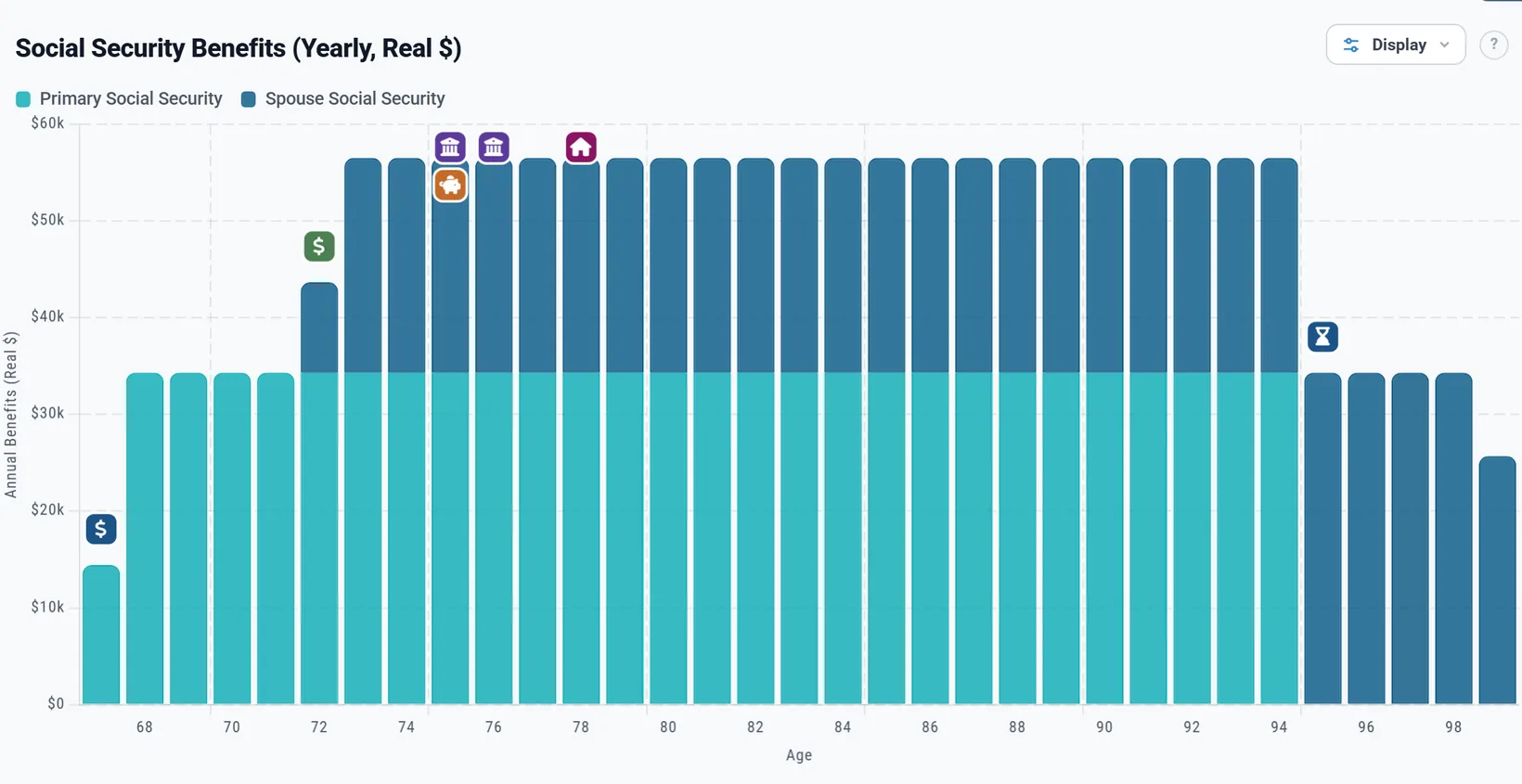
- Income stops at its owner's death: salary, contributions, Social Security (the survivor keeps the larger benefit), and a pension unless it has a survivor share.
- Accounts pass to the survivor. Nothing is sold; the survivor draws from them, and the 10% early-withdrawal penalty no longer applies to them.
- Filing status becomes single from the January after the death. (US)
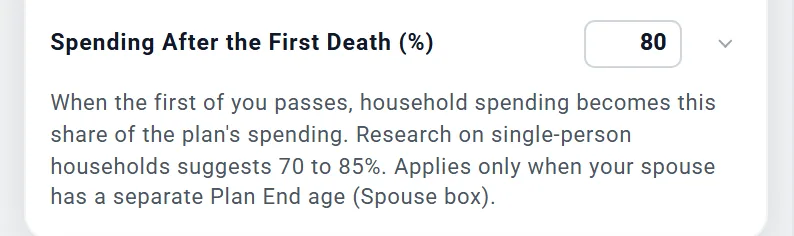
- Spending changes if you set Spending After the First Death (%).
Jamie's Plan End at 85
Jamie's death is modeled in March 2055, when Chris is 86. The plan still ends at Chris's Plan End, 95.
- Jamie's Social Security stops. Chris's own benefit is the larger, so Chris keeps it.
- Filing status changes from Married Filing Jointly to single from January 2056.
- With Spending After the First Death (%) at 80, in the Retirement Spending box, spending falls from $8,500 a month to $6,800 in today's dollars. It is 100% unless you change it, and it applies to your living costs, not to taxes or Medicare premiums.
Jamie's Plan End at 98
Now Chris dies first. Chris's death is modeled at Chris's own Plan End, in June 2063 at 95 (Jamie is 93), and the plan carries on until Jamie's: it ends in February 2068, the month before Jamie turns 98. The chart's axis keeps counting Chris's age, and tooltips read "Chris (passed) | Jamie 95".
Pensions: the survivor share
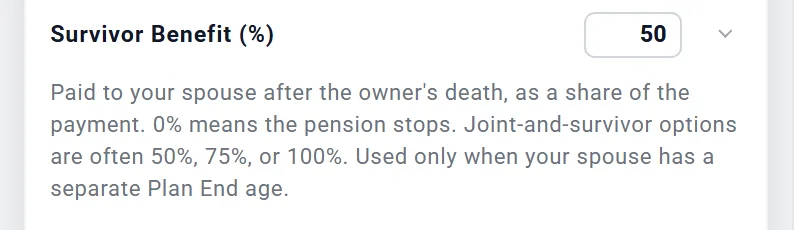
Every pension box has Survivor Benefit (%): what the other of you keeps receiving after the pension's owner dies, as a share of the payment. It starts at 0%, which means the pension stops. Use the option your pension plan offers; joint-and-survivor options are often 50%, 75% or 100%.
It only matters when the owner dies inside the plan. The survivor share of Chris's pension is used only when Chris dies first (Jamie's Plan End later than the linked age); that of a pension in Jamie's box, only when Jamie dies first.
A pension that goes back up to its full amount when the spouse dies has no setting. You can model it as a second pension that starts at your spouse's Plan End age.
Costs and income on your spouse's age
Many boxes have a Start or Works until choice. Two of its options mean different people:
- At retirement is always the Primary's retirement, even in your spouse's own boxes.
- At spouse's retirement is your spouse's.
- In the Retirement Income boxes the two carry your names instead: At Chris's retirement and At Jamie's retirement.
So a pension in Jamie's box that should start when Jamie retires uses At spouse's retirement: it starts in March 2033. Set to At retirement, it would start in June 2030, when Chris retires. Worked example: A pension that starts after your spouse stops work.
For anything else tied to your spouse's age, use a milestone:
- In the Milestones box, choose + Add Milestone and At an age.
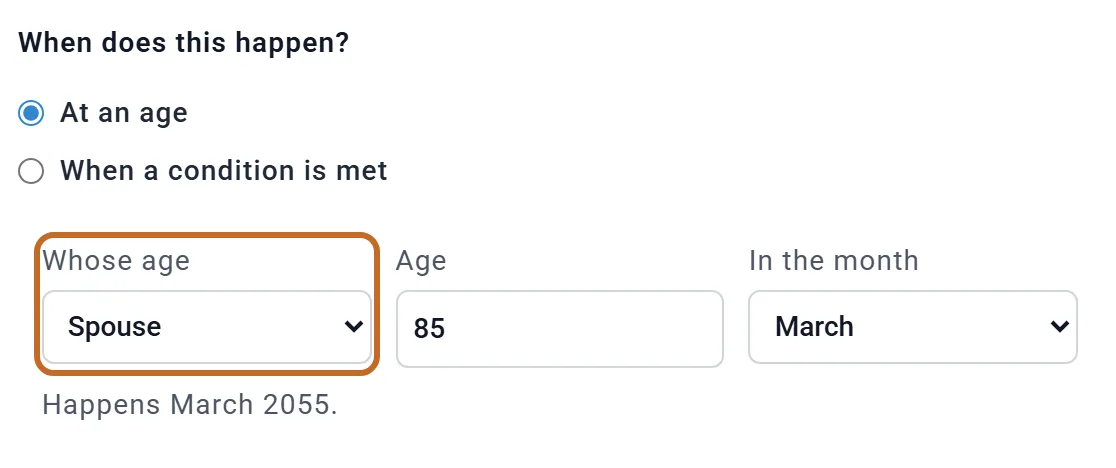
- Set Whose age to Spouse, then the age and month. The editor shows the date, here Happens March 2055.
- Attach a cost to the milestone under Then do this (optional), or start a budget row on it. Planner+
Budget rows have no "whose age" choice of their own: their ages are the Primary's. Costs on your spouse's age shows a budget row started on "Jamie 70".
An Other Income stream has Who receives it: choose your spouse and the stream runs on their ages and stops at their death.
A Retirement Income 1 or Retirement Income 2 box has Who earns it for part-time or gig work: choose your spouse and its Start Age and End Age are your spouse's ages, it is taxed as your spouse's earnings and it stops at their death. If your spouse leaves the plan, a stream they earn is not counted until they are back (the box says so).
Outside the US
- Canada and the UK tax a couple as two people. With Include spouse on, each of you has your own return whatever the filing status. Canadian plans have Apply pension income splitting (Canada) in the Taxes box, on unless you switch it off. Canada UK
- Filing Status offers Single/Individual and Married/Common-Law in Canada, and only Individual in the UK and Australia.
- Government pensions are per person: CPP/OAS (Spouse) in Canada, State Pension (Spouse) in the UK, Age Pension (Spouse) in Australia. There is no spousal top-up outside the US.
- Survivor pensions from the government are not modeled outside the US. When one of you dies, their CPP, OAS or State Pension simply stops.
- In the UK, a survivor's draws from the late spouse's pension pot are treated as a beneficiary's drawdown, with no income tax if the spouse died before 75.
- A workplace pension of your spouse's goes in Pension 1 (Spouse) or Pension 2 (Spouse). The Defined Benefit Pension 1 and 2 boxes belong to the Primary.
What the planner does not model
- Swapping who is Primary, or moving an account to the other person: enter them again.
- The "qualifying surviving spouse" filing status: the survivor files as single from the January after the death.
- Choosing when a survivor claims Social Security: the survivor benefit is an estimate.
- A different spending cut per budget row after a death: Spending After the First Death (%) is one share for the household.
- A pension that rises back to its full amount on a spouse's death (model it as a second pension).
- The full step-up in cost basis that community-property states give: only the late spouse's own taxable accounts are stepped up.
- Government survivor pensions outside the US, and the UK Marriage Allowance.
For the full list of what the planner includes and leaves out, see the Learning Library article What ReadyAimRetire Models.
Social Security for two
Each of you has your own box: Social Security and Social Security (Spouse). Each takes that person's benefit at full retirement age, and their own claiming age on their own birthday. Chris claims at 67 and Jamie at 70. Planner+
The spousal top-up
The spouse with the smaller benefit may get extra once the other has started claiming: half of the higher earner's full-retirement-age benefit, less their own. The planner adds it only if you ask:
For Chris and Jamie it adds nothing: Jamie's own benefit at full retirement age (about $1,478 a month) is more than half of Chris's ($2,707, so $1,354). In the picture we lowered Jamie's to $800. The box then shows $554 a month added to Jamie's own $992 once Jamie claims at 70, for $1,546 a month.
The half is of the higher earner's benefit at full retirement age, even if they claim later and get more.
When one of you dies
With separate Plan End ages (next section), the survivor keeps the larger of the two benefits: their own, or the one their spouse was getting. It is reduced if the survivor is younger than their own full retirement age, and any spousal top-up ends. This is an estimate: the planner does not let you choose when the survivor claims. A survivor with no Social Security box of their own still gets it.