Chance of Success
A second way to test your plan against the markets, and clearer answers about what a safety strategy costs.
Simulated futures New
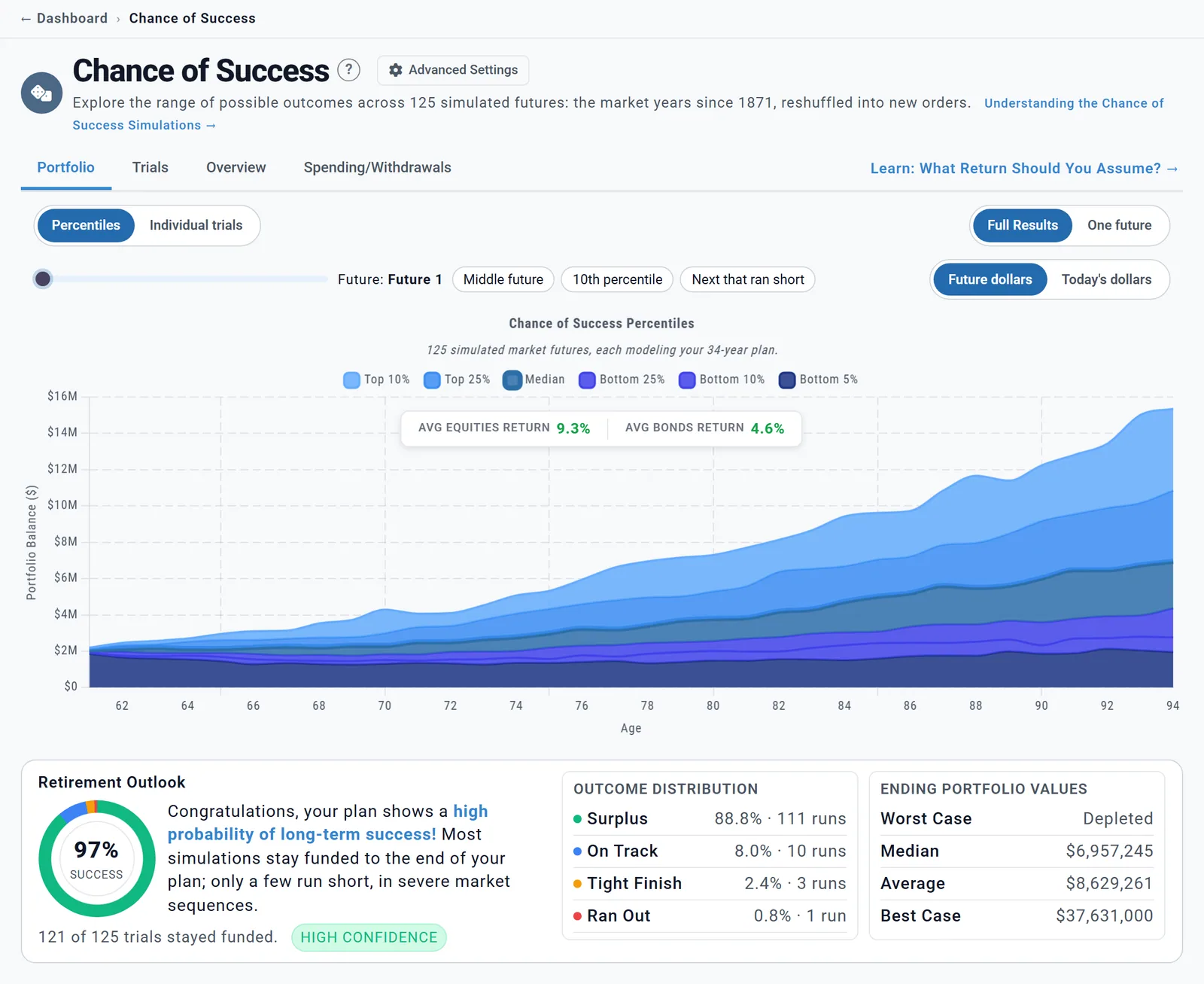
Chance of Success has a second data source. Market history, the default, runs your plan through every historical period since 1871 with the years in the order they happened. Simulated builds 125 futures from the same market years, replayed about 10 years at a time in new random orders, so your plan meets sequences of good and bad years that never happened. You get the same futures every time, so a change in the result comes from your plan. Choose it on the Chance of Success page under Advanced Settings, Data source. Both use the same results screen, and the Dashboard and Summary say which one your score comes from.
More futures, and your own return ranges NewPlanner+
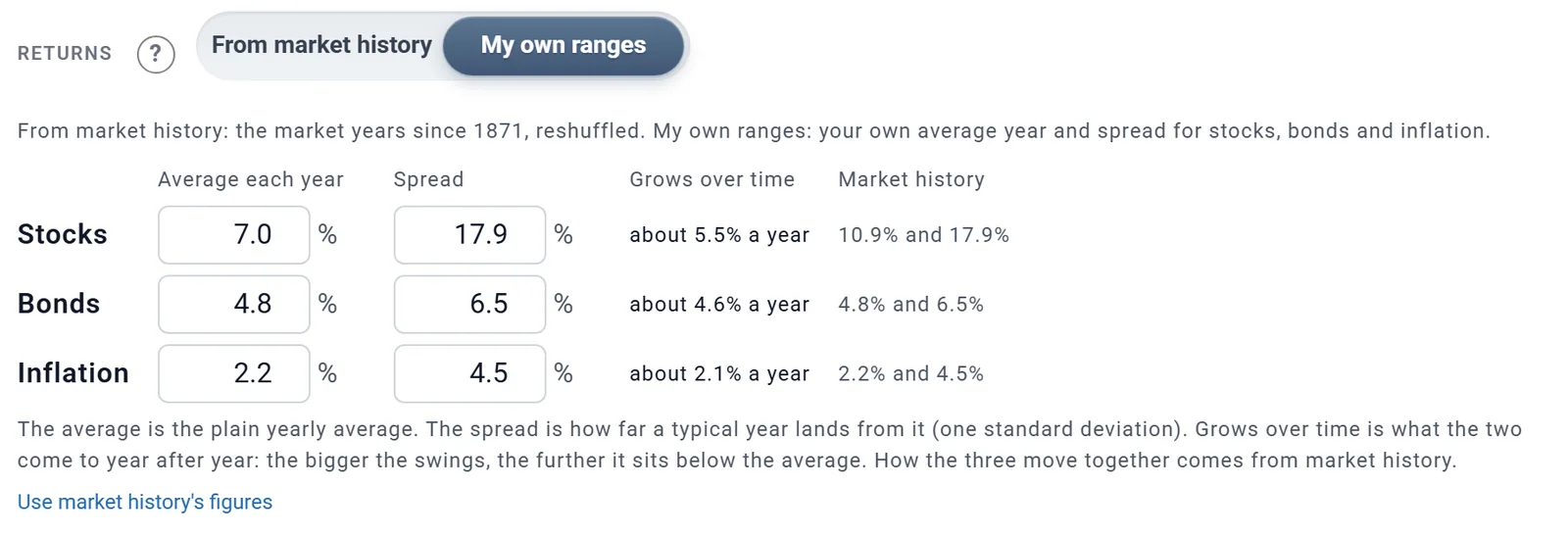
With Simulated chosen, two more settings appear. Number of futures: 125 or 250 (more futures take a little longer and give a steadier result). Returns: From market history, or My own ranges, where you set the average year and the spread for stocks, bonds and inflation. The settings start on market history's own figures since 1871, so you can see what you are changing. You can also replay any single simulated future in full.
The cash bucket strategy New
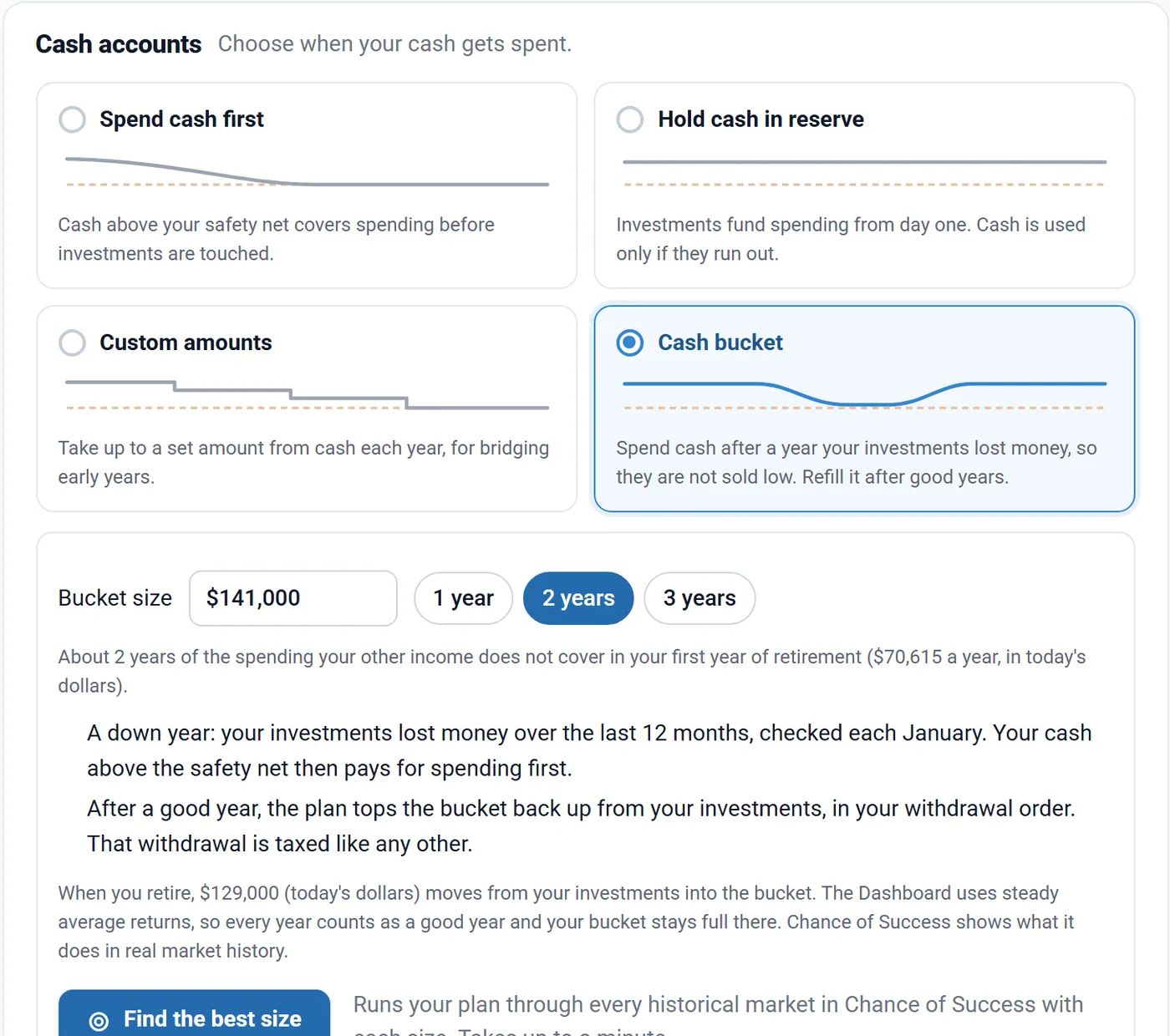
The Withdrawal Planner (Advanced) has a fourth choice for your cash: Cash bucket. You hold a bucket of cash above your safety net, sized as one, two or three years of the spending your other income does not cover, or an amount you type. Each January the plan looks at the last 12 months: after a year your investments lost money, your cash pays for spending first; after a good year, the plan tops the bucket back up from your investments.
- A new Cash Bucket page under Chance of Success compares your plan with the bucket and with plain "spend cash first" across every historical market: chance of success, and how it ends in bad and typical markets.
- Find the best size runs your plan through every historical market at each size and tells you which did best, including when no bucket at all did better.
What guardrails cost you New
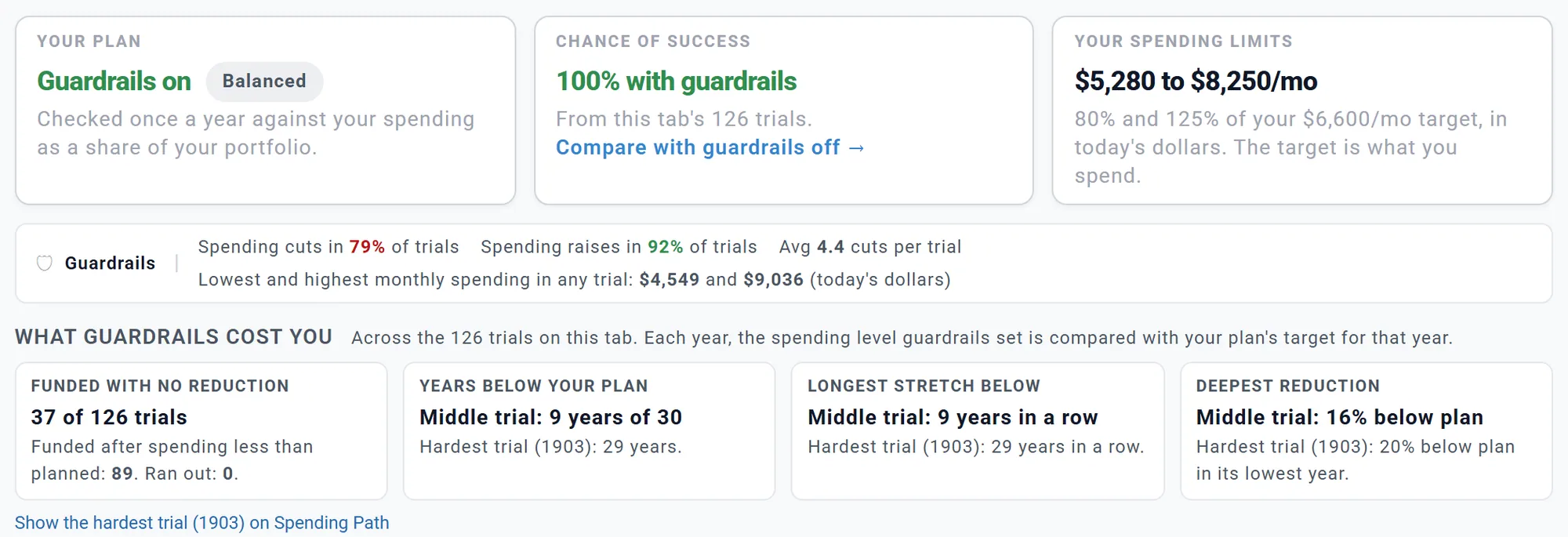
Spending guardrails raise your Chance of Success by cutting spending in bad markets. The Guardrails page now shows what those cuts add up to: how many market histories were funded with no reduction at all, how many years fell below your plan in the middle and the hardest history, the longest stretch below, and the deepest reduction. Shown with Market history as the data source.
Faster, steadier runs Improved
The Chance of Success page keeps its calculation workers ready while the page is open, so changing a setting re-runs sooner, and a progress spinner now shows on every run. A tooltip on the trials chart that could show an error, the wrong year or the wrong age for a spouse is fixed.
The Assistant and the Help Center
The ReadyAimRetire Assistant New
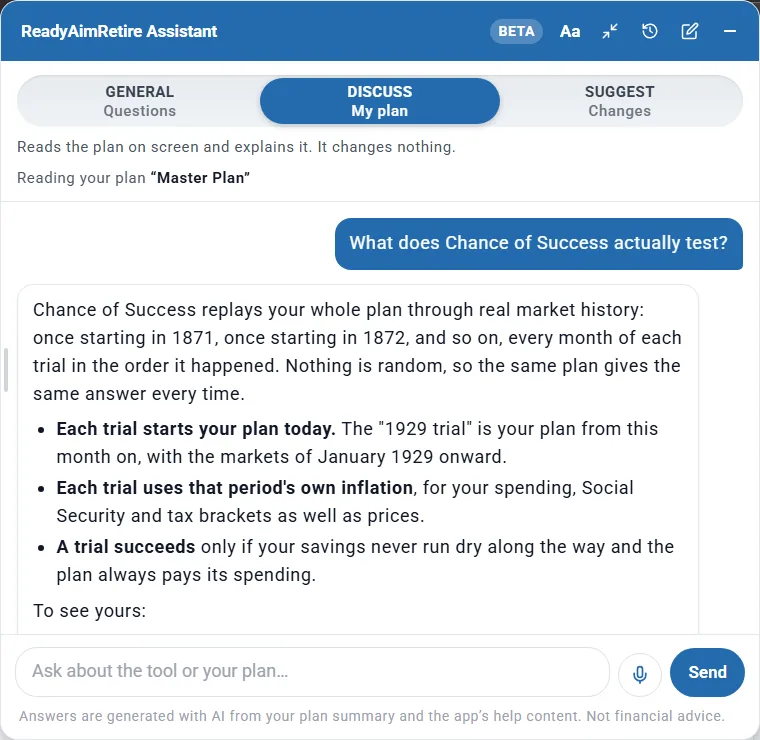
The round chat button in the bottom-right corner opens an assistant you can ask in plain English. It has three modes, and you choose which:
- General questions: your plan is not read. Ask about the app and retirement in general.
- Discuss my plan: reads the plan on screen and explains it. It changes nothing.
- Suggest changes: reads your plan and can prepare changes for you to review and apply, to your plan or to a copy, with Undo.
Answers use your own numbers, include a button that takes you to the setting they talk about, and link the help guide behind them. Cards on the Summary have an Ask button, and Coach suggestions have Ask the assistant. To answer questions about your plan, your messages and a summary of your plan are sent to Anthropic, the AI provider that powers the assistant; your data is not used to train AI models. The assistant is in beta. It explains and guides, and does not give personal financial advice.
A wider box, bigger text, and a microphone Improved
The arrows at the top of the assistant make it wider and bring it back, or drag its left edge to any width in between. The Aa button steps the text through Normal, Large and Larger. The microphone beside Send turns your speech into words in the box, using your browser's own speech recognition; you check the words and press Send. In a browser that cannot do this, the button gives the steps for your computer's dictation. Steps in an answer are now numbered. Each choice is remembered on that device.
The assistant keeps up with your plan Fixed
If you changed your plan in the middle of a chat, for example by linking a budget, the assistant could go on describing the plan as it was. It now names the budget your plan is linked to, notices what changed since your last question, and in Discuss my plan can read the rows of your linked budget.
The Help Center New
The Help Center has 37 step-by-step guides, one for every part of the planner, in the order most people fill in their plan. The guides follow one example plan with real screenshots, say what works on a Preview account and what is part of Planner+, and include a glossary, the questions members ask most, and the common mistakes with a quick fix for each. Search any topic from the top of the page.
1-on-1 Plan Setup New
For Planner+ and Lifetime members who would like a person to sit with them: a private 60-minute screen share with a Product Specialist, with hands-on help using the software. It is a paid add-on. See 1-on-1 Plan Setup for the price and the terms. After you book, we email you to schedule.
Charts and your screen
One color for each item, on every chart Improved
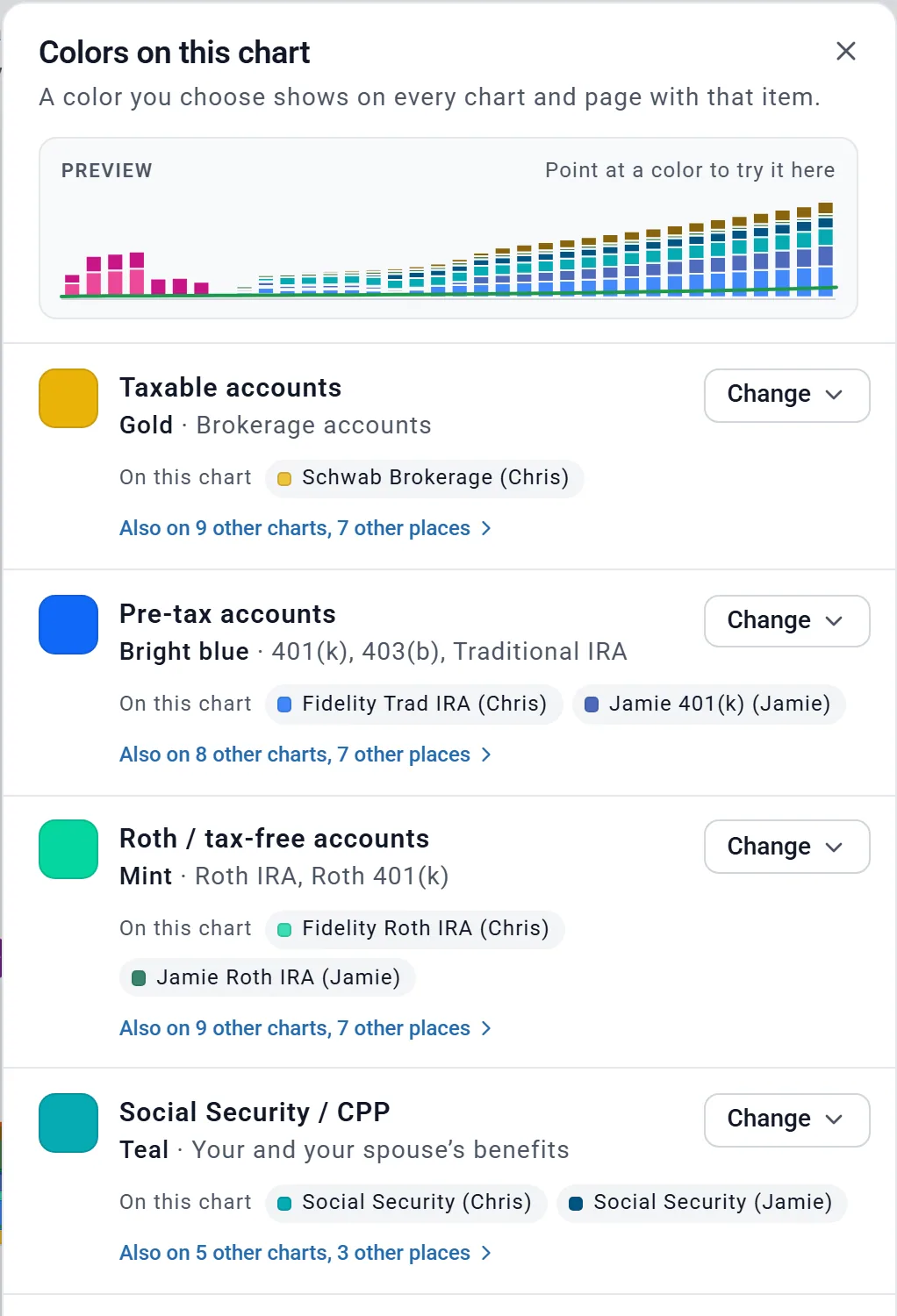
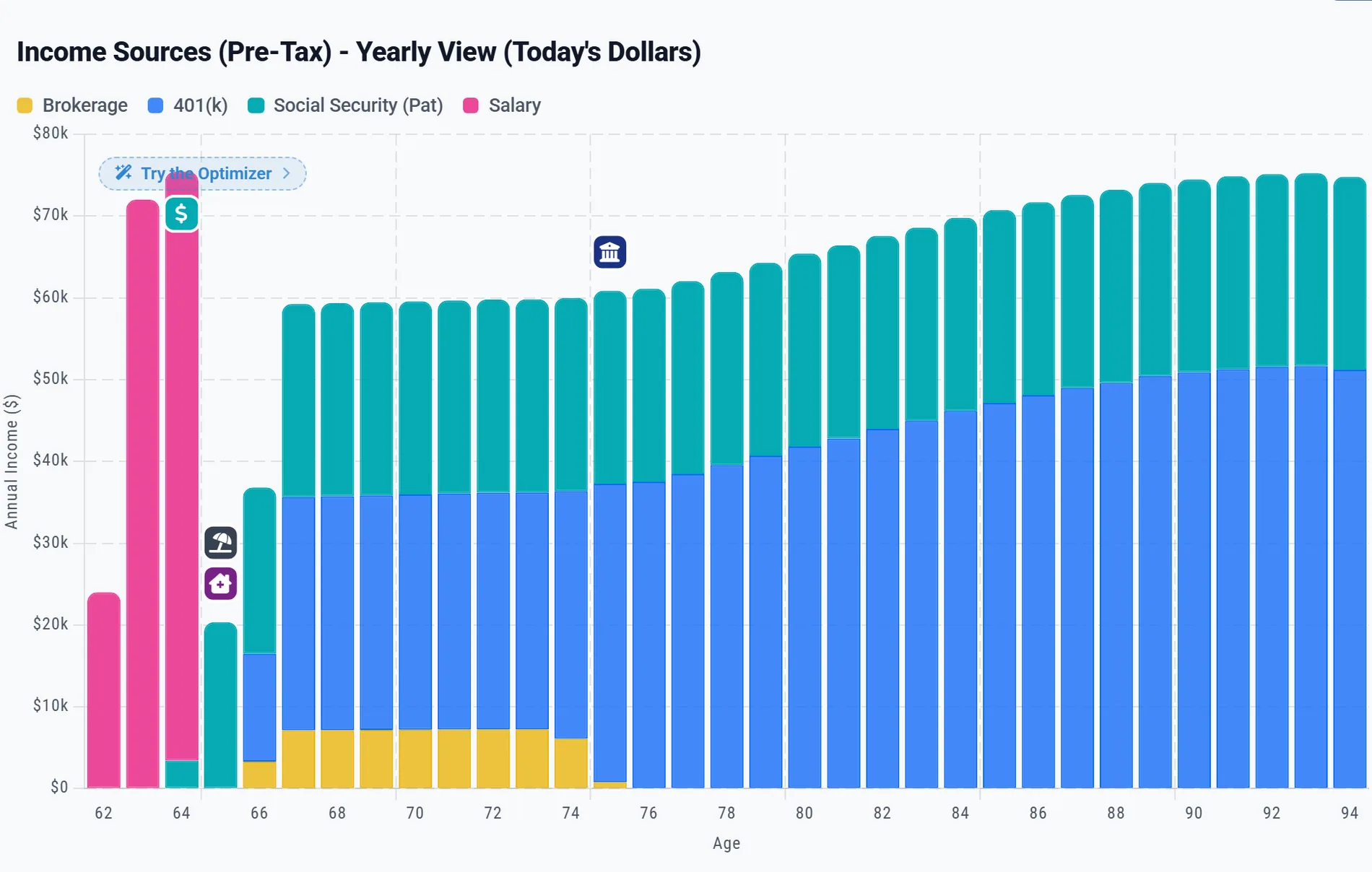
An account, an income or a tax now wears the same color wherever it appears: your pre-tax accounts are the same blue on Net Worth, Withdrawals and Income, taxes are reds, health care is purple, cash is green, and Social Security is teal. A spouse's item takes the darker shade of the same color. Milestone badges wear the color of the item they belong to.
Choose your own chart colors New
Signed-in members have a Colors button beside the "?" on each Dashboard chart. It lists the items on that chart with a preview. Press Change, point at a color to try it on the preview, and click to keep it. Your choice follows the item to every chart and page that shows it, and to your Ready Report.
- My colors: add up to eight colors of your own, with a picker or a color code.
- Budget categories can have their own colors on the Dashboard's Budget chart, and the Budget tab's graphs follow.
- The popup warns when two items on the chart would be hard to tell apart, and Reset puts an item back.
Hide inputs New
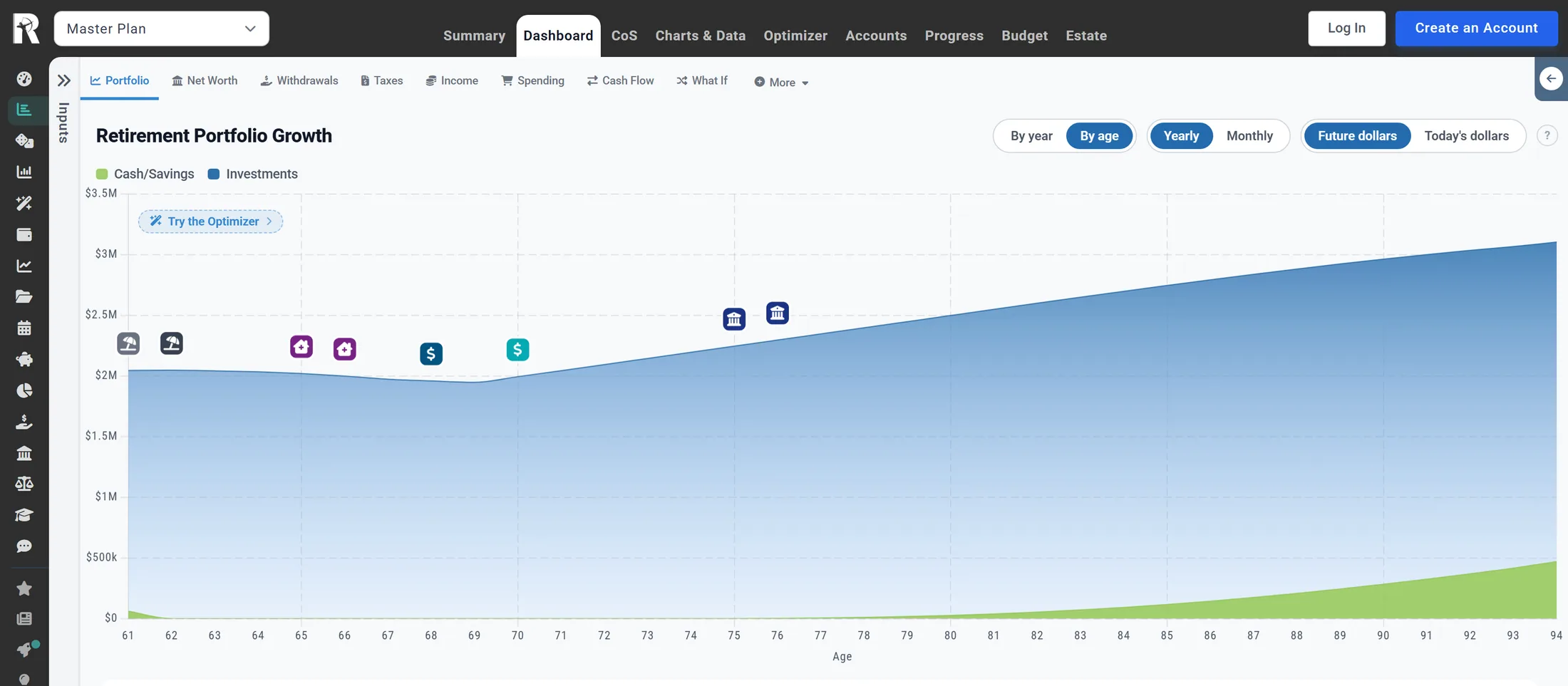
The double arrow at the top of the left column folds your inputs away, so the chart and its analysis use the whole window. Your plan picker moves into the header while they are hidden. Anything that needs an input, such as a Coach button or a "take me there" link, opens the column again. Remembered on each device.
Net worth excluding home New
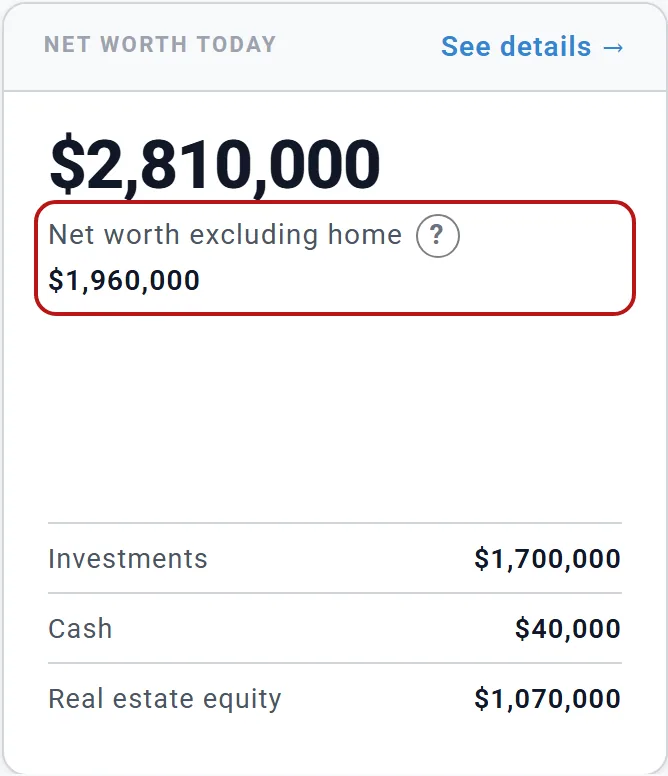
A second figure, Net worth excluding home, now sits under your net worth on the Summary card, on Accounts & Assets, and in the Net Worth chart's rollover. It leaves out the equity in every property of type Home; rentals stay in. Net Worth itself is unchanged.
Dividends and interest on the Income chart New
The Income chart has a reference line, Interest & Dividends Earned, showing what your accounts earn each year beside what you withdraw from them, and the Year Detail says how the two compare. The help page Where spending money comes from has a new section, "Spending your dividends".
What your accounts earn together New
Under Combined Return in the Returns box, two new lines, "Your investment accounts today" and "With cash", show the return your accounts are set to earn together, weighted by today's balances. When some accounts have their own Growth setting, one tidy list under the sliders names them.
- The header's tabs now fit any window: labels shorten, then icons drop, before anything is cut off.
- The Retirement Year Detail has previous and next year buttons.
- A transfer is no longer added into the Withdrawals chart's Total; it shows as its own band, like Roth conversions.
- A Budget expense paid in one month now shows in that month in the Data Summary column, instead of as a yearly average.
- In Monthly view, chart tooltips change a spouse's age in the spouse's own birthday month.
- An income that is already being paid when your plan starts now reads "is already being paid" on its chart badge, not "begins at age".
- The Accounts & Assets Net Worth bar is readable in the dark themes.
Social Security
Enter your benefit at the age you start New
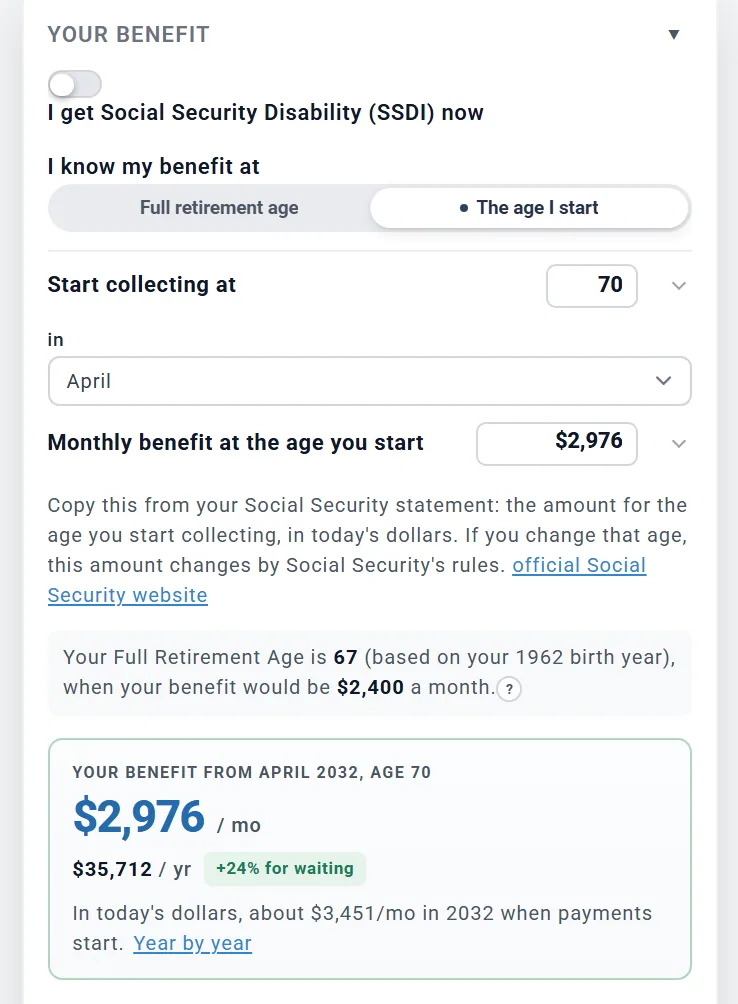
The Social Security box asks for your benefit at full retirement age. If the figure you know is for a different age, set I know my benefit at to The age I start and type that instead. The plan works back to your full-retirement-age amount, so spousal and family benefits stay right, and if you later move the starting age the figure moves with it.
The earnings test, if you collect early and keep working NewCan change your numbers
When you collect Social Security before full retirement age and still earn more than a yearly limit, Social Security holds back part of your benefit, then raises your benefit at full retirement age to credit the months it held. Your plan now models this instead of only warning about it: salary, self-employment, Retirement Income and "Wages or bonus" income all count, a spouse's and children's benefits on your record are held too, and a note in the Social Security box says what is held and when it comes back. Who is affected: US plans that start Social Security before full retirement age while still earning above the limit. Those plans show less Social Security in the working years and more from full retirement age.
Benefits for your children New
A child can collect on your record while you collect your own benefit. In the Social Security box, open Children and choose Add a child. The plan pays half of the parent's full-retirement-age benefit until the child turns 18 (or finishes high school, to 19 at the latest), 75% after the parent's death, a benefit for a spouse caring for a young child, and applies the family maximum. The money is tax-free household income in the plan. US plans.
Social Security Disability, and Medicare before 65 New
If you get disability benefits, switch on I get Social Security Disability (SSDI) now and enter your monthly payment. It pays from today with no claiming age and no reduction, rises each January, and carries on as your retirement benefit at full retirement age. In the Health Care box, Medicare starts at now takes an age under 65, for Medicare through SSDI.
Test your spouse's claiming age Improved
On the Dashboard's What If chart, "Test SS Claiming Ages" has a new choice, Claiming age of, so you can test your spouse's claiming age as well as your own.
Pay, pensions and other income
Health premiums from pay New
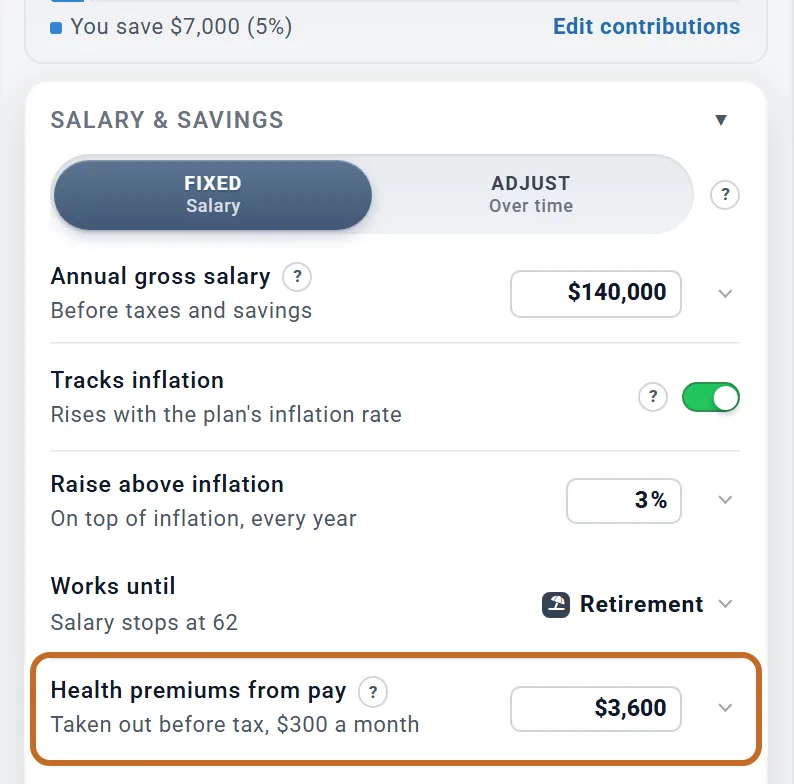
A new row in Employment Income, Health premiums from pay, takes your work health premium out of your pay before income tax and payroll tax, as your employer does. Enter the yearly amount in today's dollars. If you had the premium in your budget, take it out there so it is not counted twice. US plans; not for self-employed pay.
Pay you do not spend is saved to cash ImprovedCan change your numbers
While you work, take-home pay that your plan neither spends nor puts in a retirement account used to show as "Unallocated Income" and go nowhere. It is now saved to your cash, and the Retirement Contributions box shows how much, with See every year. Who is affected: plans with Employment Income on, a spending amount, and pay left over. Their cash, and their results, are higher.
Save into cash from the Contributions box Improved
In Simple mode, the Retirement Contributions box's By account list now ends with your cash account, so you can save toward a cash bridge for the years before 59½ or before Medicare without opening the Contribution Planner.
Business profit (K-1) New
Other Income has a new tax treatment, Business profit (K-1), for an S corporation or partnership: the profit is taxed whether or not it is paid out to you, you say what share is paid out, and the plan applies the qualified business income deduction. US plans.
Income that changes each year New
Other Income can now pay By year: a table of calendar years with an amount for each, for stock that vests on a schedule or a buyout paid in installments. A TIPS Ladder can pay By year too, and can import the yearly amounts from a CSV file.
Whose Retirement Income is it? New
Each Retirement Income has Who earns it, you or your spouse. Its ages, its payroll taxes and when it stops all follow that person.
A spousal IRA New
In the Contribution Planner, a retired spouse's IRAs can be funded from the working spouse's pay. US joint filers, in Advanced contributions.
Pension survivor choices, compared New
For anyone choosing between a single-life pension and a joint and survivor option: Compare Plans has a new row, Survivor's guaranteed income, the Learning Library has a new guide on pension survivor options, and the Coach now points out when cash is piling up in retirement and could be invested.
Annuities: IRA-held contracts and fixed-term withdrawals New
A deferred annuity can be marked as Bought with pre-tax money, so its value counts toward your required minimums (or not, for a QLAC). Withdraw yearly now takes a percent of the value as well as dollars, can stop at an age, and can then keep growing or be cashed out, which is how a fixed-term annuity (a MYGA) held to maturity works.
- One-Time Benefits are now one box with named cards, instead of three separate boxes.
- The pension, Other Income and annuity amount fields accept a typed amount above the slider's range.
- A pension that starts "at retirement" for someone already retired now reads correctly in the box and on the chart.
Health care and HSAs
Retiree health plans kept with Medicare New
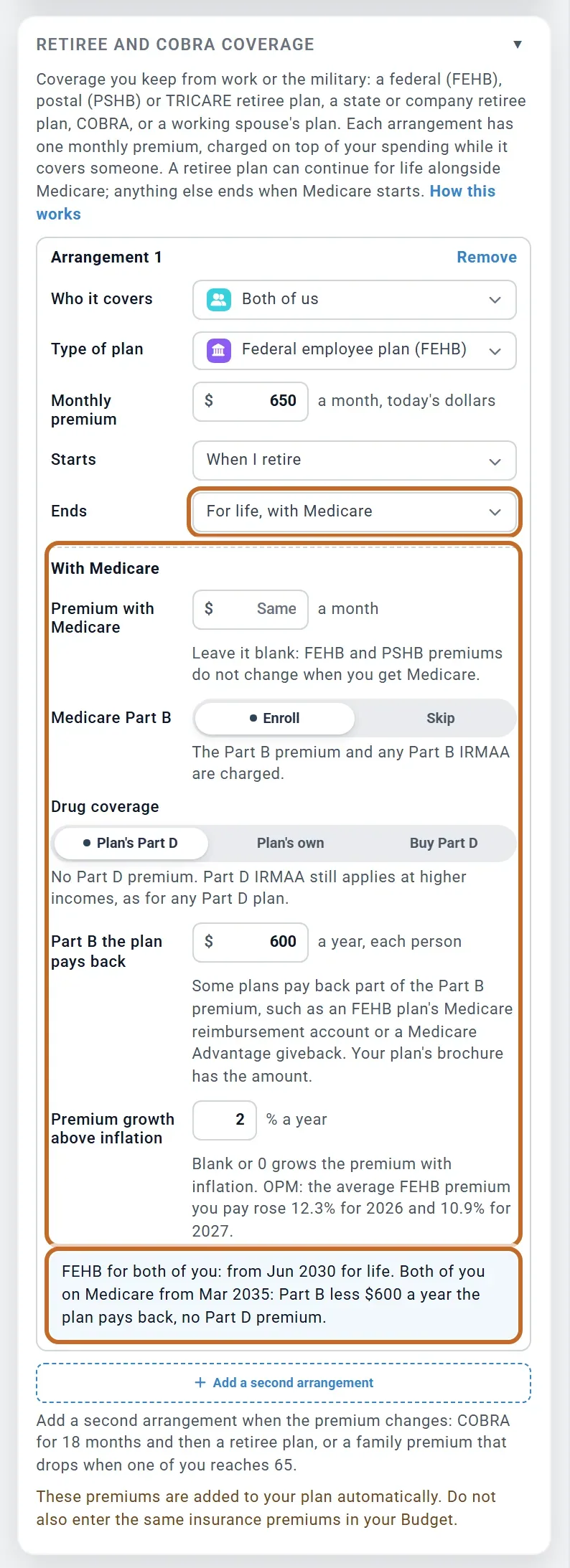
Coverage in the Health Care box can now last for life, alongside Medicare: a federal plan (FEHB or PSHB), TRICARE, or a state or employer retiree plan. For each one you can say whether you enroll in Part B, how prescription drugs are covered, what the plan pays back toward Part B each year, the premium once everyone covered has Medicare, and how fast the premium grows above inflation.
HSA: Contribute until Improved
The HSA box's Stop at Medicare switch is now Contribute until: When I retire, Medicare, or A specific age. Before, contributions could not stop earlier than 62. Your saved plan keeps what it had until you change it.
See where you stand against the ACA limit New
With marketplace coverage on, the Health Care box now lists each marketplace year's income as a percent of the poverty line, so you can see how close each year is to the subsidy limit.
"Up to the ACA limit" stops when marketplace coverage does FixedCan change your numbers
A Roth conversion or Tax Strategy set to fill up to the ACA subsidy limit kept filling in years after everyone had moved to Medicare, when that limit no longer means anything. It now fills only in years someone has marketplace coverage. Who is affected: plans with an ACA-limit target whose years run past the marketplace years. They convert nothing in those later years; choose a tax bracket or IRMAA target for them instead.
An HSA account's Growth setting now applies FixedCan change your numbers
A Growth setting on an HSA account in Accounts & Assets was ignored in favor of the HSA box's own rate. The account's setting now wins. Who is affected: plans that set Growth on an HSA account. With no setting, the HSA box's rate applies as before.
- Temporary coverage such as COBRA can start "In a month I choose", including a month already past, so "18 months of COBRA" that began last spring counts only the months left.
- An employer or retiree plan entered as temporary coverage now ends at each person's own Medicare start.
Accounts, homes and loans
One set of accounts, different decisions in each plan New
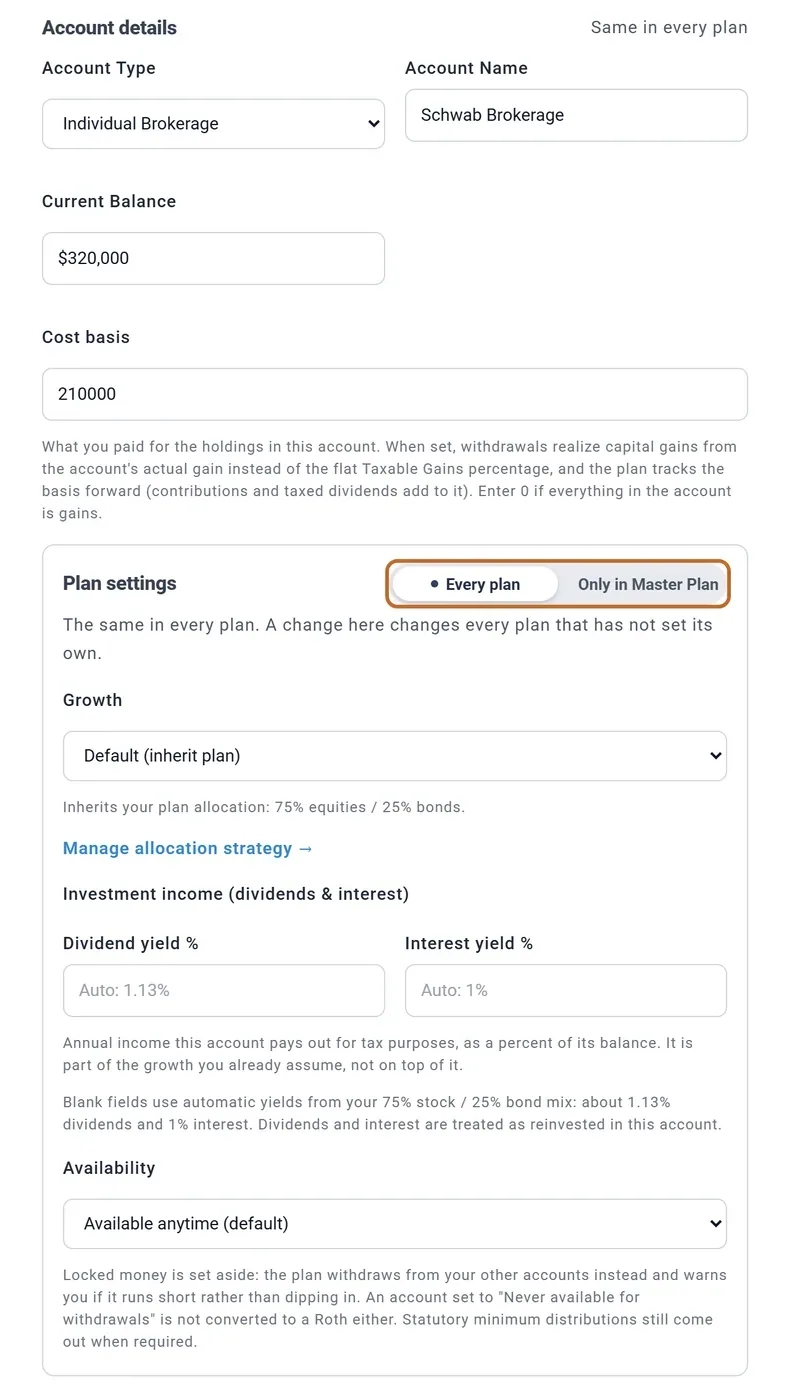
What you own today is the same in every plan. What you do with it can now differ. An account's window is split into Account details (the same in every plan) and Plan settings, and each decision has one switch: Every plan or Only in the plan you are in. Sell the house in one plan and keep it in another, pay a loan off early in one, or give an account a different growth rate, without copying your accounts. An item that differs carries a "Changed in this plan" mark.
Pay a loan off early New
Any loan can take extra payments toward principal: an amount every month between two dates, and one-time amounts. The window shows the new payoff date beside the original, a linked Budget row ends when the loan does, and an extra payment can name the account that pays it.
Buy a home later, with a mortgage NewPlanner+
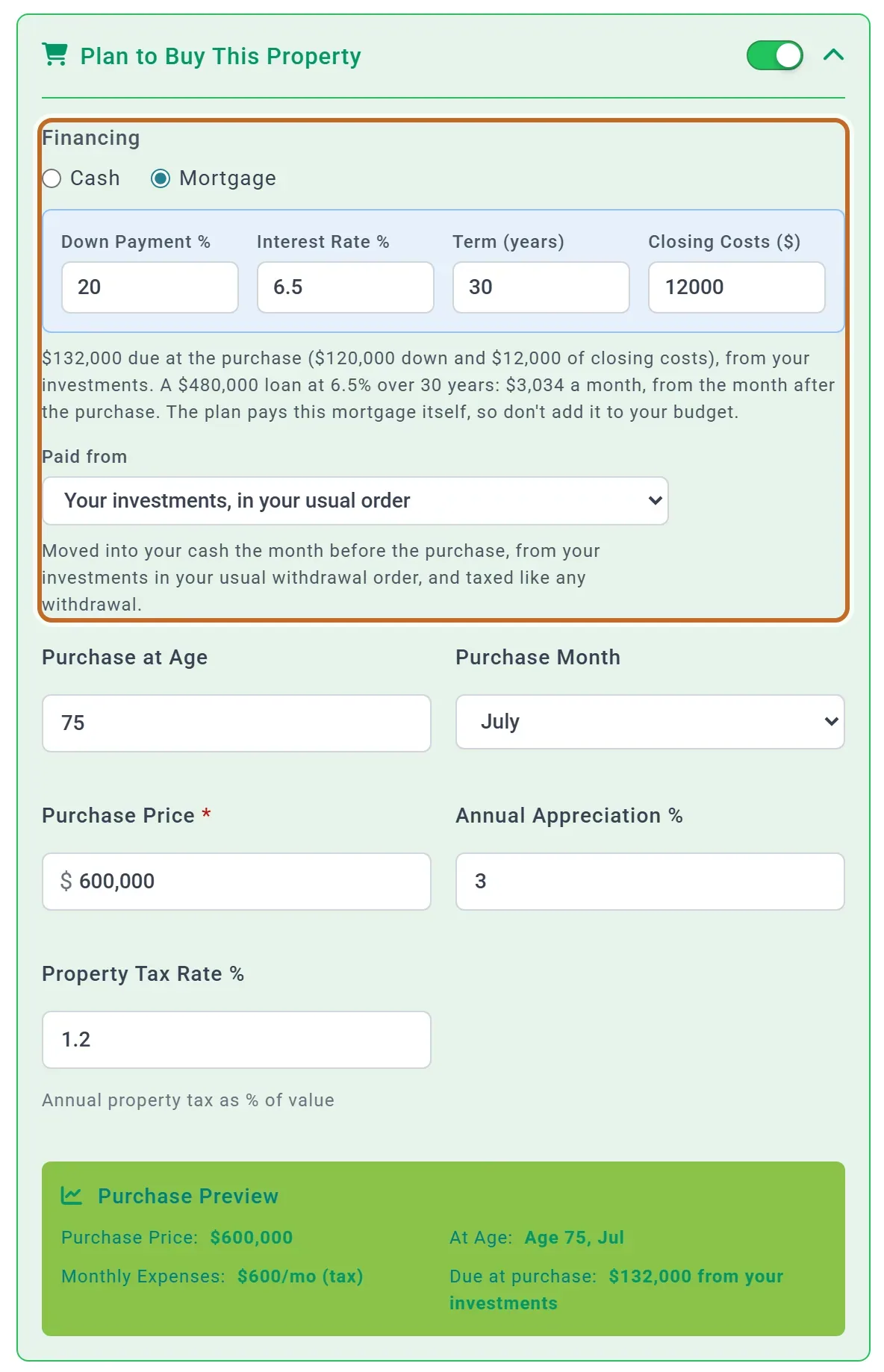
A home or rental you plan to buy can now be financed. In Plan to Buy This Property, choose Mortgage and enter the down payment, interest rate, term and closing costs. In the purchase month the plan pays the down payment and costs and starts the loan; it pays a home's mortgage itself from then on, so do not add it to your budget. A new Paid from choice takes the cash due from your investments or from one account, instead of needing it all in cash. Each plan can buy with cash, with a mortgage, or not at all.
Rental depreciation, and the tax when you sell New
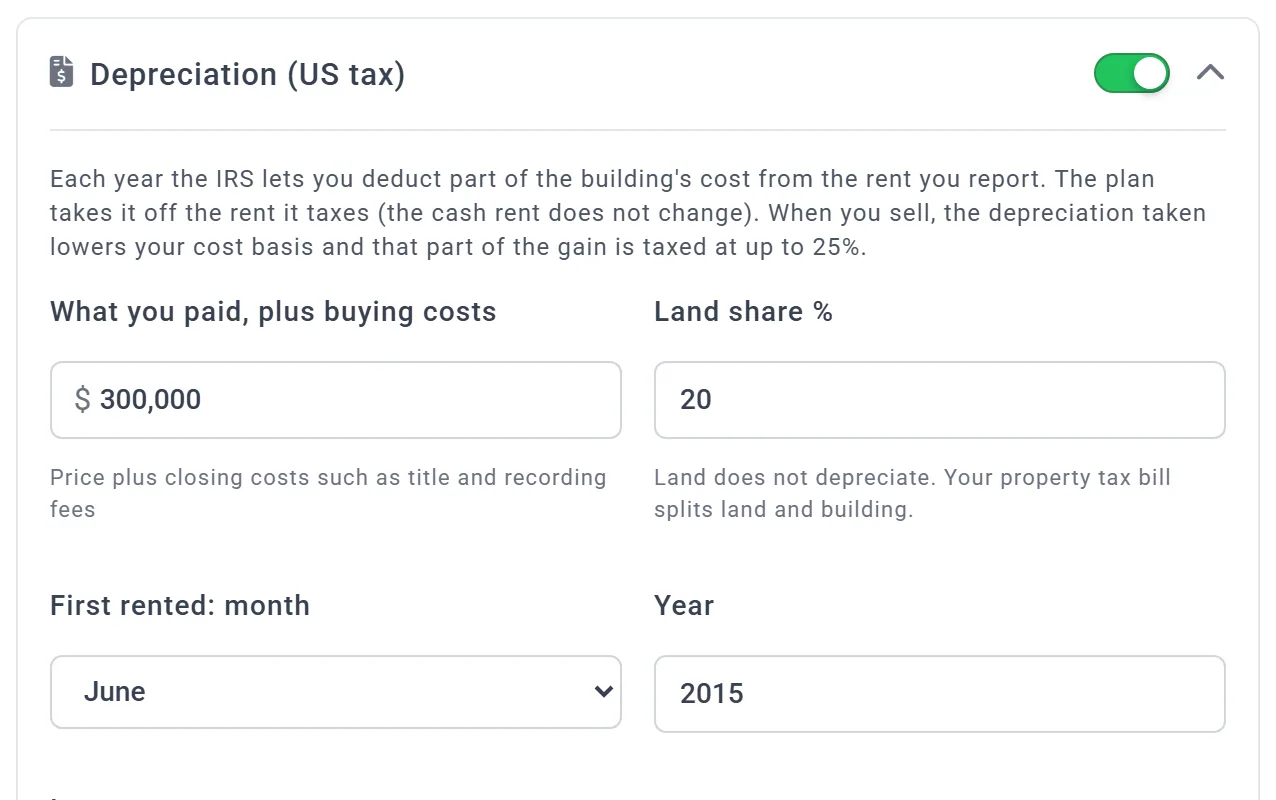
A US rental has a new Depreciation section: what you paid, the land share, when it was first rented, and any improvements. Each year the plan takes the depreciation off the rent it taxes (27.5 years, the IRS rule for a residential rental); your cash rent does not change. When you sell, the depreciation taken is added back and taxed at your income tax rate, at most 25%. The rental window also now says which costs lower your taxed rent, and Maintenance % takes decimals.
Rental losses follow the IRS limit FixedCan change your numbers
A loss on a US rental now lowers your other income by up to $25,000 a year, less once your income passes $100,000 and none from $150,000. The rest carries forward, offsets later rental profit, and is used in full the year the rental is sold. Before, any rental loss lowered your other income without limit. Who is affected: plans with a rental that loses money and an income above $100,000. They show more tax in those years and less later.
Advisor fees, account by account NewPlanner+
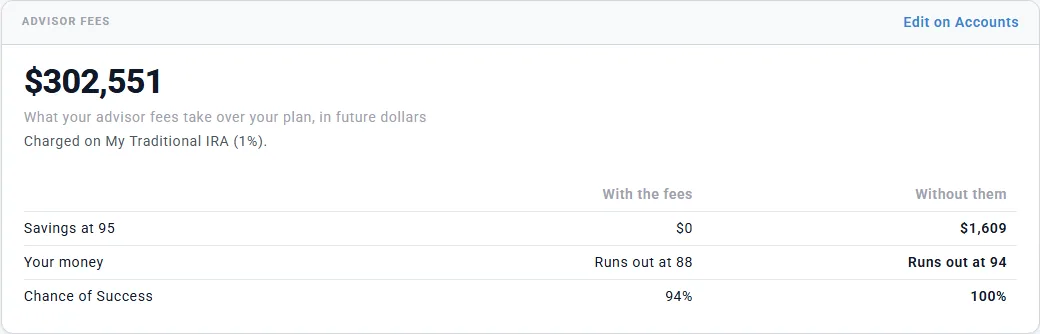
If an advisor manages some of your accounts, enter the fee on just those: open the account, then Plan settings and Advisor fee (% a year). Inherited IRAs are included. The plan takes a twelfth of it from that account each month, in your projection and in Chance of Success. A new Advisor fees card on the Summary shows what the fees take over your plan and sets your plan beside the same plan without them. Annual Investment Fees on the Dashboard is now described as fund fees; if you had put an advisor's fee there, move it to the accounts so it is not counted twice. Not for UK plans yet. How advisor fees work
Whole life insurance: withdrawals, loans and cashing in New
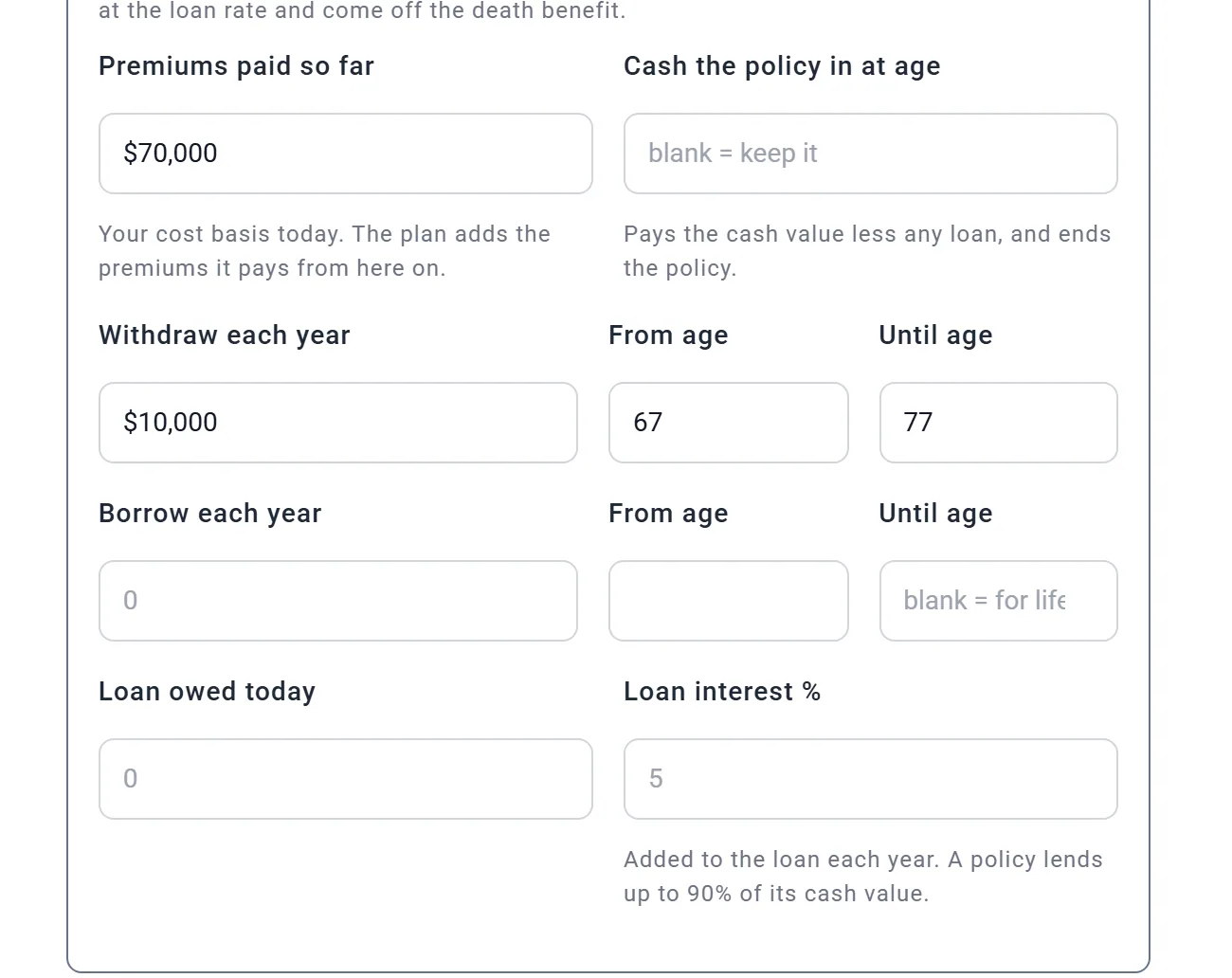
A permanent life insurance policy on Accounts & Assets has a new section, Taking money from the policy: premiums paid so far, an amount to withdraw each year between two ages, an amount to borrow each year, a loan you already owe and its interest rate, and an age to cash the policy in. Withdrawals come out of your premiums first (not taxed), then the growth (taxed as income); loans are not taxed and grow at the loan rate. The money lands in your cash, your net worth shows the cash value less the loan, and the death benefit is reduced by what you took. You can also enter a new death benefit from an age, for a reduced paid-up policy. US plans.
A maturity date for CDs New
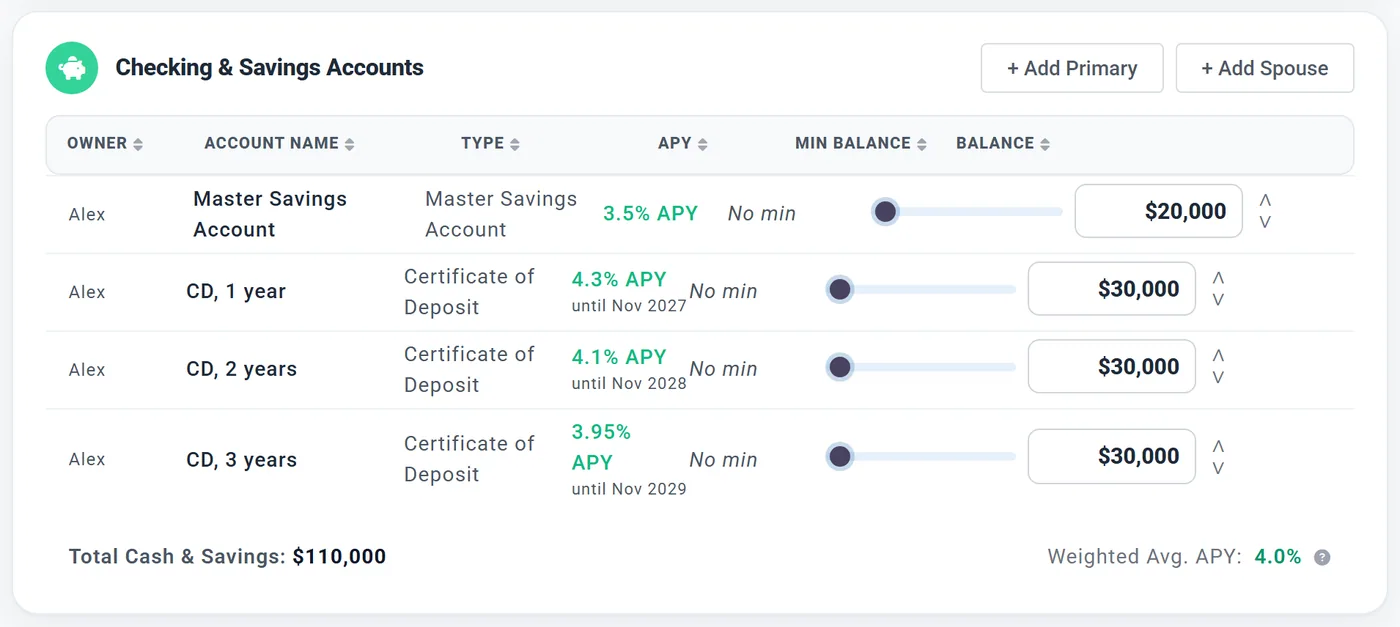
A fixed-rate Certificate of Deposit can have a Maturity date. It earns its own rate until that month, then your Master Savings Account's rate, and the Accounts list shows "until" the month beside the rate. Enter one CD for each rung of a ladder. The cash table's Weighted Avg. APY now counts an account that tracks inflation at your plan's inflation rate.
Your accounts in your own order New
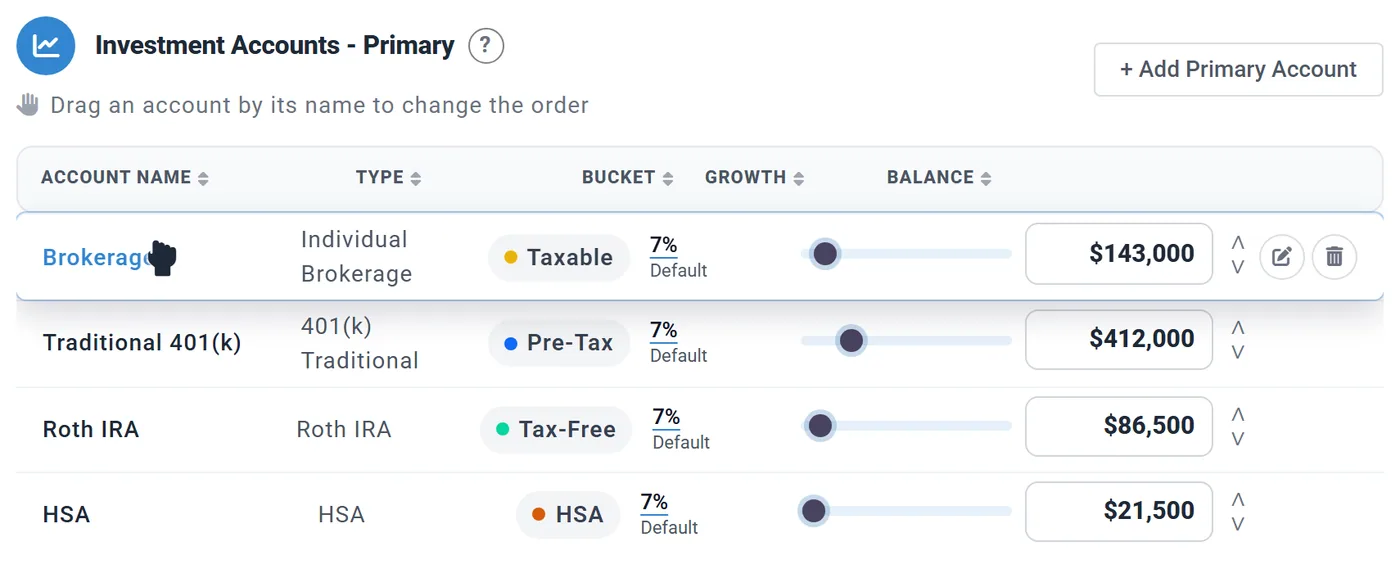
On Accounts & Assets, drag an account by its name to move it within its table (on a touch screen, hold then drag; on a keyboard, the Up and Down arrows). The order is yours in every plan.
Education expenses and 529 plans Improved
The College boxes are now Education Expense 1 to 3 and can be named. A 529 plan's Availability has a new choice, Education expenses only, which keeps the account for your Education Expense boxes, and the plan warns you if 529 money is being spent on anything else. The Income chart now shows an Education Expense's 529 withdrawals as coming from the 529, not your brokerage account.
- Total Investments on Accounts & Assets now updates as you edit a balance.
- Net Worth Tracking's Account History showed $0 for a home at every past point; it now shows its value.
- A home you plan to buy no longer carries a loan saved before you switched Plan to Buy on, and counts as $0 in today's totals until it is bought.
- The Budget tab follows the plan you are in: a loan row ends at that plan's payoff date.
Moving money, giving and Roth conversions
Transfers between accounts New
A new Transfers box (Add, then Moving Money) moves money between your own accounts: from an IRA or 401(k) into your brokerage account or cash, once or every year. A move between two accounts of the same kind, such as rolling a 401(k) into an IRA, is not taxed. A yearly transfer can run "until it's empty" or move "All of it" spread evenly between two ages. The card warns you when a transfer cannot happen, for example from an account that is locked, and what it costs when it carries a penalty.
Qualified charitable distributions (QCDs) New
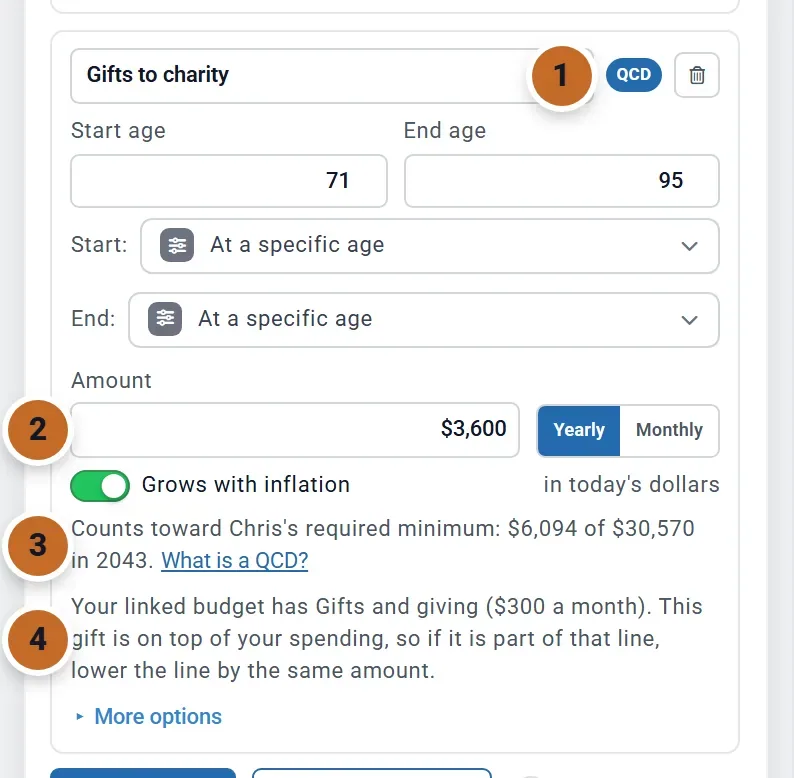
From age 70½ you can give straight from an IRA to a charity. In Extra Withdrawals, choose QCD as the destination: the gift never counts as income, and it counts toward that year's required minimum. US plans. Giving to charity
Roth conversions, year by year New
Roth Conversions has a third strategy, Year by year: set a different amount for each year on a chart of your income, with the tax bracket and IRMAA lines drawn in. Press a bar to pick a year, drag it to change the amount, or drop a line to have the plan work out the amount that reaches it.
Clearer Roth conversion results Improved
The Optimizer's Tax Strategy page has a table that tracks the 5-year rule for each conversion made before 59½, and a tile comparing the tax rate you pay on the conversions with the rate on the withdrawals they replace. The Optimizer now treats a Roth IRA with a $0 balance as a Roth account, so it searches conversions for you.
Extra Withdrawals, Transfers and One-Time Benefits: as many as you need Improved
The limit of six cards is gone from all three boxes.
The Ready Report
Your plan as a PDF New
The Ready Report tile at the top of the Summary makes a PDF of your plan to print or share: choose a ready-made report or pick the sections yourself, in today's or future dollars, and add up to two saved plans to compare. A one-page report is open to every member; the full reports and keeping copies in Your saved reports are part of Planner+.
Your plan as spreadsheets New
The same page downloads your plan's numbers. Year by year is open to every signed-in member; the full set of CSV files and an Excel workbook, with every column explained and totals that add up, are part of Planner+.
Accuracy corrections
Changes to how existing plans are calculated. Each says who it affects.
Interest on your cash is taxed FixedCan change your numbers
Interest earned by your cash accounts was not being taxed. It is now ordinary income each year. Who is affected: US, Canadian and "Other country" plans with cash that earns interest. Their lifetime taxes are a little higher.
UK: cash interest is taxed as savings income FixedCan change your numbers
UK plans now tax interest on cash with the starting rate for savings, the Personal Savings Allowance and the savings rates, for each person. Who is affected: UK plans with cash that earns interest.
Your first required minimum covers the whole year FixedCan change your numbers
The plan used to start required minimum distributions in your birthday month, so someone with an October birthday saw only a quarter of the first year's amount. A required minimum belongs to a calendar year, and the year you reach the age is now a full year. Who is affected: US and Canadian plans whose owner was not born in January. The first year's minimum is larger; income and tax move only where the minimum is more than you would have withdrawn anyway.
Required minimums: the opening balance, and still working FixedCan change your numbers
A year's required minimum is now worked out from the balance the year opened on, so a Roth conversion during the year cannot shrink it. If you are still working at that age, an IRA pays its minimum on schedule, while your current employer's plan waits for the year you retire. Who is affected: plans that convert in required-minimum years, and plans still working at 73 or later.
A milestone dated before today is not applied again FixedCan change your numbers
A milestone with a one-time expense or cash amount whose date had already passed was charged again at the start of the plan. It is now left alone, and the Milestones box says so. Who is affected: plans with a one-time milestone dated in the past.
An inherited account's Growth setting now applies FixedCan change your numbers
A Growth setting on an inherited IRA was not used. It is now. Who is affected: plans that set Growth on an inherited account.
Roth conversions "up to a limit" land closer to the line FixedCan change your numbers
A conversion that fills up to a bracket or IRMAA line now allows for an inherited account's required withdrawals and for the year's own tax and costs, so it stops at the line instead of a little over it. Who is affected: plans with a fill-to-a-limit conversion and an inherited pre-tax account, or a spending target.
A large purchase and your cash FixedCan change your numbers
When cash that builds up in retirement is set to be invested, the plan now keeps back what an upcoming planned purchase needs, instead of investing it and then failing the purchase. A purchase paid from your investments while you are still working now goes ahead when your investments can cover it. Who is affected: plans with a planned purchase and either of those settings.
Your account, plans and pricing
Two-step verification New
You can add a second step to your sign-in. After your password, ReadyAimRetire asks for a 6-digit code from an authenticator app on your phone, such as Google Authenticator or Microsoft Authenticator. Someone who learns your password still cannot get into your plans without your phone. It is optional: turn it on from the Two-step verification card on your Account page.
- Skip the code on your own computer: tick "Don't ask for a code on this device" and choose 7, 30 or 90 days.
- Recovery codes: 10 single-use codes, shown once, sign you in if you lose your phone.
- Sign out of all other devices: a new button in the Security & Privacy card ends every other session of your account, whether or not two-step verification is on.
- If you sign in with Google, Google's own 2-Step Verification already covers your sign-in.
How two-step verification works
Multi-Planner+ Improved
The Professional plan, for advisors and coaches who manage plans for clients, is now called Multi-Planner+. It and Lifetime are on the in-app Subscribe page beside Planner+, and a Planner+ member can switch to either there, paying only the difference for the time left.
Prices that say which dollars Improved
Prices are in US dollars, and for members outside the United States they now say "USD". If your plan is Canadian, British or Australian, an estimate in your own currency sits beside the price. You are still charged in US dollars.
A plan that starts in your country Improved
A first-time visitor from Canada or the UK now starts on an example plan for that country, and a visitor from Australia is offered one.
- A partner's discount is applied automatically at checkout when you arrive through their link.
- The example plan a new visitor sees no longer ages from month to month.




 Continue with Google