



 Continue with Google
These are the slips we see most often in real plans, each with what you notice, why it happens and how to fix it. Most take a minute. The links go to the page that explains the setting in full.
Example numbers left in
The plan is still the example
What you see: results that do not look like you. A new account opens on an example: someone aged 46, retiring at 67, spending $5,800 a month, with example accounts (and, if you tried the planner before signing up, the sample accounts you saw then).
Fix: work through Getting started: your profile, your own accounts on Accounts & Assets (delete the examples you do not have), your spending and your income. Until then the results describe someone else.
Income missing or counted twice
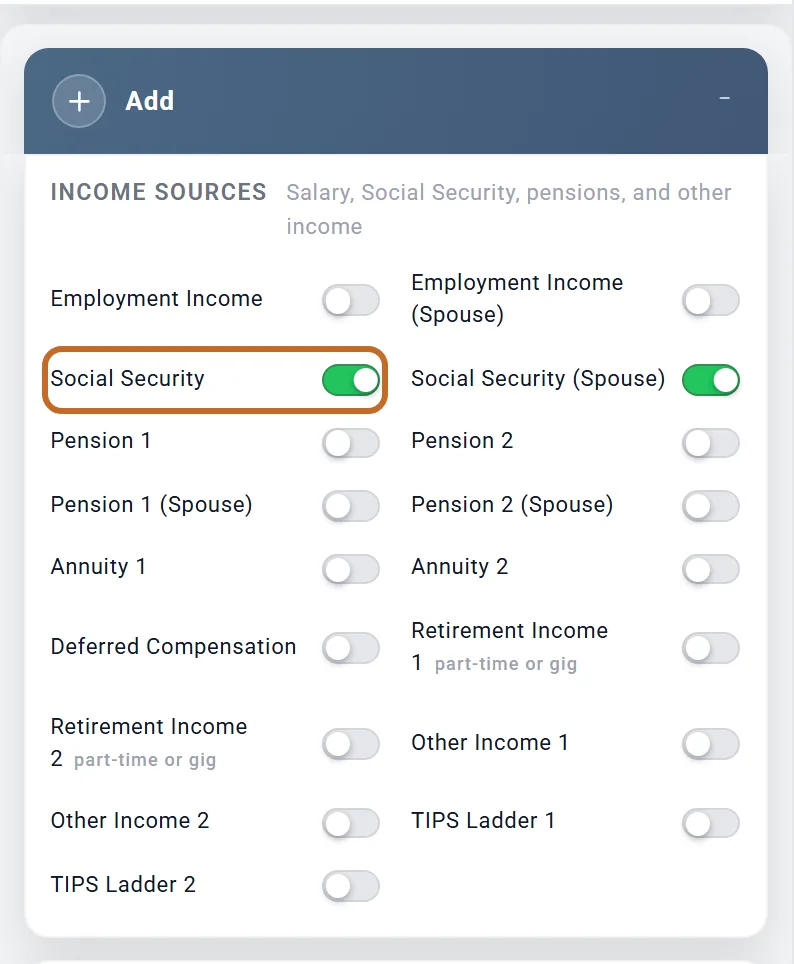
Social Security is not switched on
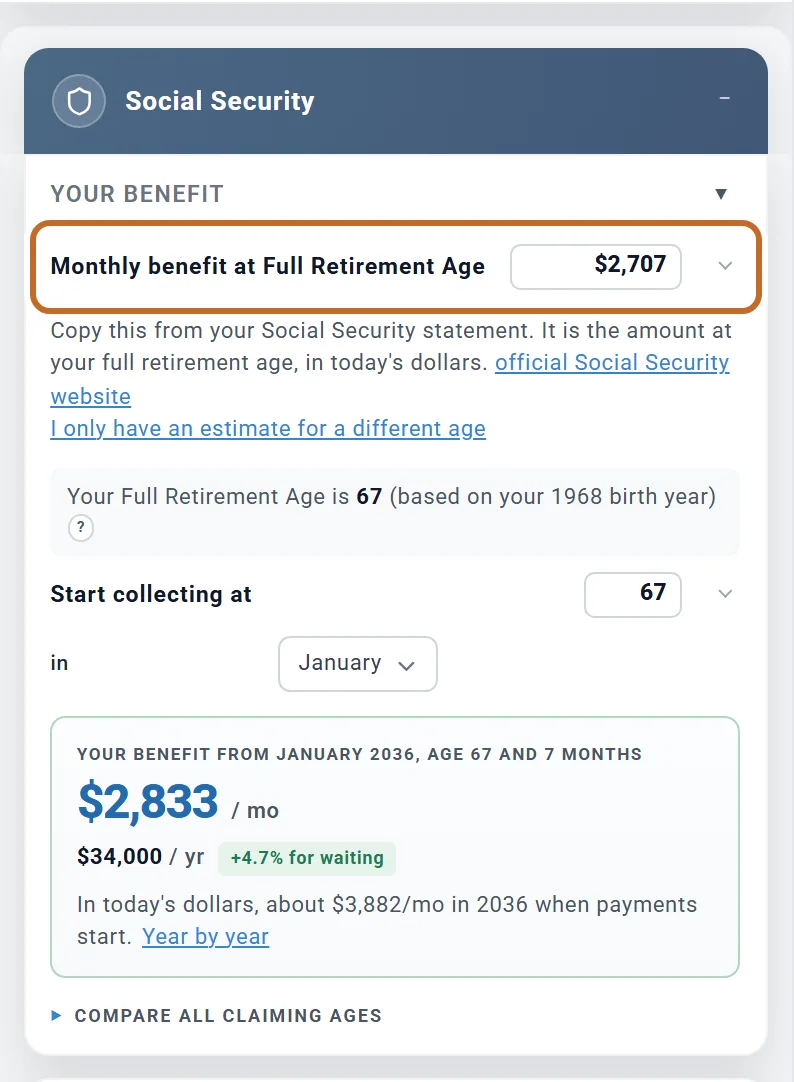
What you see: no Social Security on the Income chart, and savings that run down faster than you expect. A new plan starts with no Social Security at all.
Fix: Add > Income Sources > Social Security (and Social Security (Spouse) for a spouse), then enter the monthly benefit at full retirement age from your Social Security statement. Outside the US the same place holds CPP / OAS, the State Pension or the Age Pension.
Rent entered twice
What you see: more income in retirement than you have. Rent from a property on Accounts & Assets is already counted, net of its costs and its mortgage. Entering the same rent again as Other Income or Retirement Income counts it twice.
Fix: keep the rent on the property only. See A rental property.
A salary entered for only one of you
What you see: savings falling before anyone retires. Once Employment Income is on for either of you, every month before the Primary retires is paid from the salaries entered, and any gap comes from savings. A spouse who works but has no salary entered adds nothing.
Fix: switch on Employment Income (Spouse) too and enter that salary. See Two retirement dates.
A salary schedule that ends before you stop working
What you see: pay that stays flat for your last working years. If you set your salary with Adjust over time and the graph ends before you stop working, the plan carries the graph's last year on, in today's dollars, until Works until. A last year set to $0 stays $0: the plan reads it as a deliberate stop.
Fix: make the graph run to the age you stop working if your pay should change in those years. See Where to enter your income.
Spending entered the wrong way
Spending entered before tax, or in future dollars
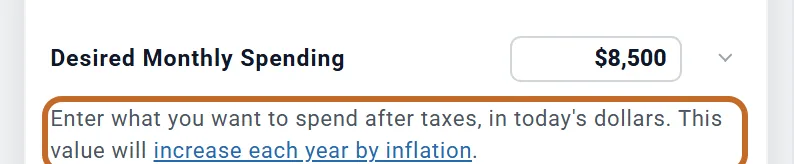
What you see: a plan that needs far more than it should. Desired Monthly Spending is what you spend after tax, in today's dollars. The plan adds the tax its withdrawals cause and raises the amount with inflation each year.
Fix: enter what you spend now in a month, take-home, not your gross income or a future figure.
Medicare premiums budgeted twice
What you see: health costs that look too high from 65. US The plan charges Medicare Part B and Part D premiums, and any IRMAA surcharge, for each of you from 65.
Fix: take Medicare premiums out of your spending or budget. Keep other health costs (dental, Medigap, out-of-pocket). See Health care costs.
Mortgage payment and property tax left out
What you see: a home loan whose balance falls, but no payment in your spending. The plan does not charge your home's mortgage payment, property tax or insurance: they count only if they are in your spending or a linked budget.
Fix: include them in Desired Monthly Spending, or link a budget that has them. See Paying for your home.
A budget that is not linked
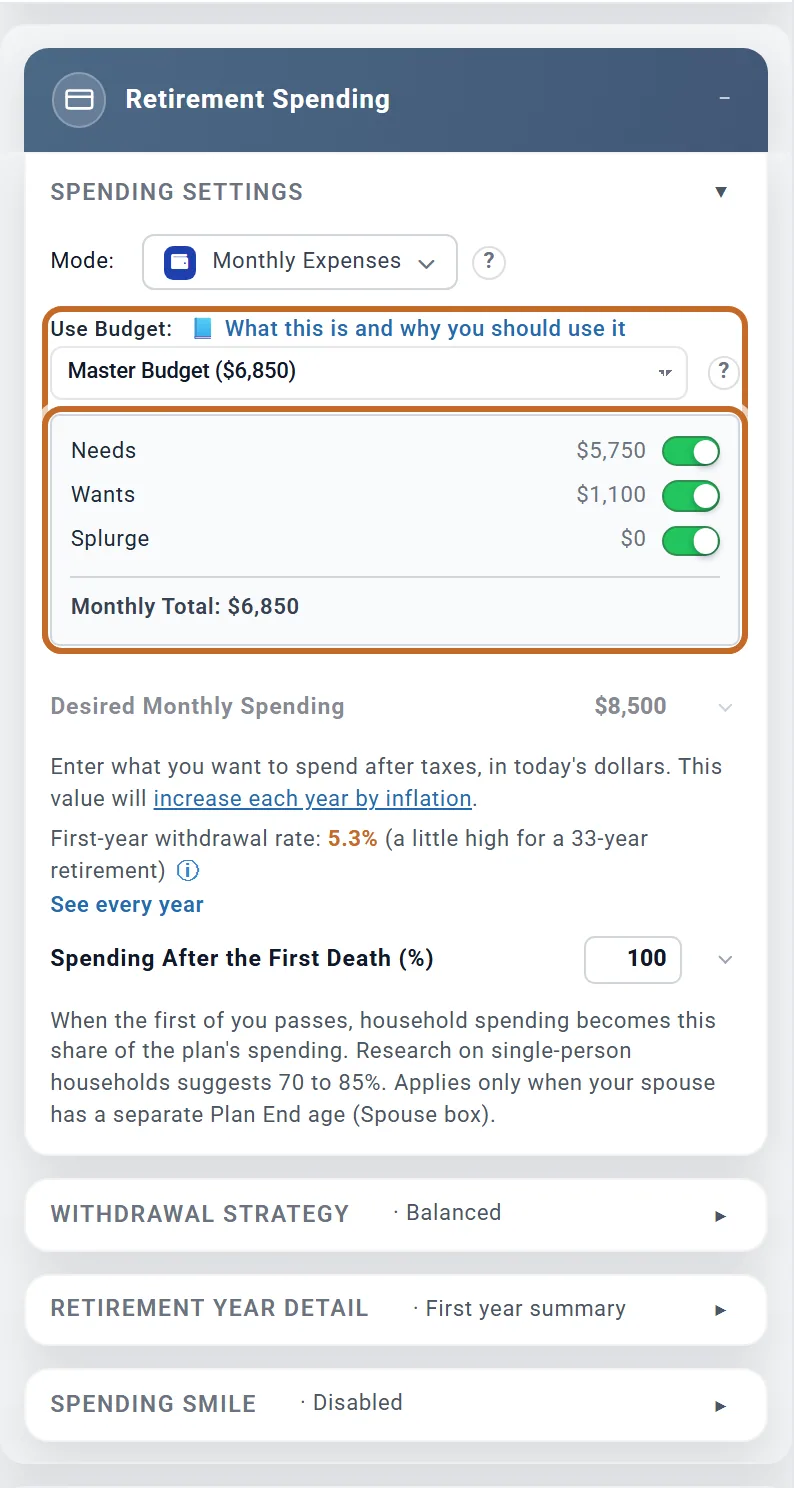
What you see: a carefully built budget that changes nothing. A budget is used only when you choose it in Use Budget (Retirement Spending box, Monthly Expenses mode). Planner+
Fix: pick your budget in Use Budget. See Spending and your budget.
End ages one year off
What you see: a cost that runs a year longer than you meant. A budget row's End Age includes that whole year of age: End Age 64 pays until the 65th birthday. The same holds for an Extra Withdrawal's end age.
Fix: enter the last age you pay at. For a cost that stops at retirement, use the retirement choice in the row rather than typing the age.
Home, mortgage and debts
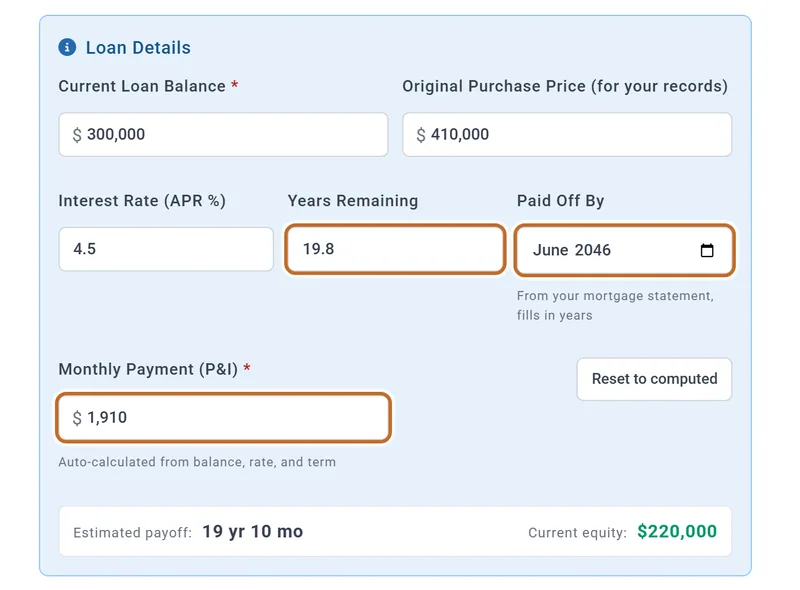
The full mortgage term typed in
What you see: a mortgage that runs longer than yours. Years Remaining means the years left on the loan, not its original term: eight years into a 30-year loan, enter 22.
Fix: enter the years left, and a Monthly Payment of principal and interest only (a payment that includes escrow pays the loan off too fast).
The mortgage added again as a debt
What you see: a net worth lower than it should be. A mortgage belongs on its home, in the home's loan details. Adding the same loan under Liabilities counts it twice.
Fix: delete the separate entry and keep the loan on the home. Note that other debts (a car loan, a credit card) lower your net worth but their payments are not charged: include them in your spending.
Tax settings
No state, or looking for it in the Taxes box
What you see: no state tax. US Your state is set in your profile, under Location, not in the Taxes box. A new plan starts with no state.
Fix: open your profile and choose the state.
A filing status that does not match the plan
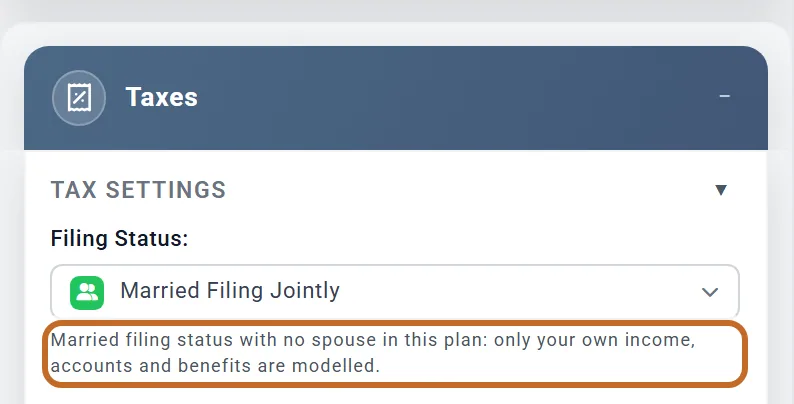
What you see: taxes that look too high for a couple, or a note under Filing Status. Switching on Include spouse does not change your Filing Status, and a new plan starts at Single. With a married status and no spouse in the plan, only your own income, accounts and benefits are counted, and the Taxes box says so:
Fix: for a couple, switch on Include spouse and set Filing Status to Married Filing Jointly. See Filing status.
Couples
Survivor settings that do nothing
What you see: a survivor share or Spending After the First Death that changes nothing. Until you give your spouse their own Plan ends at, both of you live to the end of the plan, so no first death is modelled.
Fix: set your spouse's Plan ends at. See The years after one of you dies.
Retirement spending that starts later than expected
What you see: no spending in the months after your spouse retires while you still work. The plan's retirement starts when the Primary (the person in the first profile) retires, not when the first of you does, and with Employment Income off the working years carry no spending.
Fix: switch on Employment Income for both of you, with your salaries. Your spending is then paid from your pay until the Primary retires. See You keep working after your spouse retires.
Cash and withdrawals
Cash spent first although you chose a strategy
What you see: your cash gone in the first year of retirement. Your withdrawal strategy orders only your investment accounts; cash above your minimum balances is spent first.
Fix: set a minimum balance on the cash account, or choose Hold cash in reserve in the Withdrawal Planner. See When your cash gets spent.
A one-off cost that should grow with prices
What you see: a cost years away that looks too small. An Extra Withdrawals card with Grows with inflation off is in the dollars of the year it is paid.
Fix: switch on Grows with inflation on the card (a new card starts with it on): the amount is then in today's dollars and rises with prices. See Spending and your budget.
Numbers that look wrong but are not
- Savings that slope down in today's dollars while they grow in future dollars: today's dollars take inflation out.
- "Age 73" covering September to August: yearly bars run birthday to birthday unless you switch to calendar years.
- A first or last year that looks small: it is a part year.
- Chance of Success and the Dashboard disagreeing: one replays market history, the other uses your fixed return and inflation.
Each is explained, with pictures, in Reading your results and Why it differs from the Dashboard.